Of all the great consoles, the Sega Saturn might be the hardest one to get into in 2026. Two CPUs where one would do. A Western library where the best games cost more than the console did at launch. Emulation that spent twenty years stuck in first gear while everything around it matured. For a long time, “I want to play Saturn games” was the start of an expensive, frustrating journey.
Here’s the good news: that journey has never been easier, cheaper, or better served than it is right now. The hardware community has cracked the Saturn wide open, the FPGA people have done something close to miraculous, and even software emulation — the perennial weak point — has quietly become genuinely good. This guide walks through every realistic way to play Saturn games today, what each one costs, and what I’d actually recommend depending on your budget and your patience.
The quick verdict
- If you just want to play tonight: Emulate. Mednafen (or its Beetle Saturn core in RetroArch) on a decent PC plays the vast majority of the library accurately, and it costs you nothing but a download and a BIOS file from a console you own. You could be playing within the hour.
- If you want the real hardware experience without the disc prices: Buy a used Saturn and a Fenrir ODE (roughly $60–140). Real console, real controller, real timing — with the entire library on an SD card instead of a shelf of $100 discs. This is the setup I’d point most people toward.
- If you refuse to open your console: The Satiator (about $200) plugs into the back of the machine, leaves the disc drive fully functional, and changes nothing. The premium is real, but so is the convenience.
- If you already own a MiSTer: Just update it. The Saturn core has grown up — it’s a legitimate way to play most of the library now, not a tech demo.
- If you want real discs and the full ritual: Get a Japanese console and an Action Replay, and bring money. It’s the most authentic route and, for the big American releases, far and away the most expensive.
Option 1: Original hardware and real discs
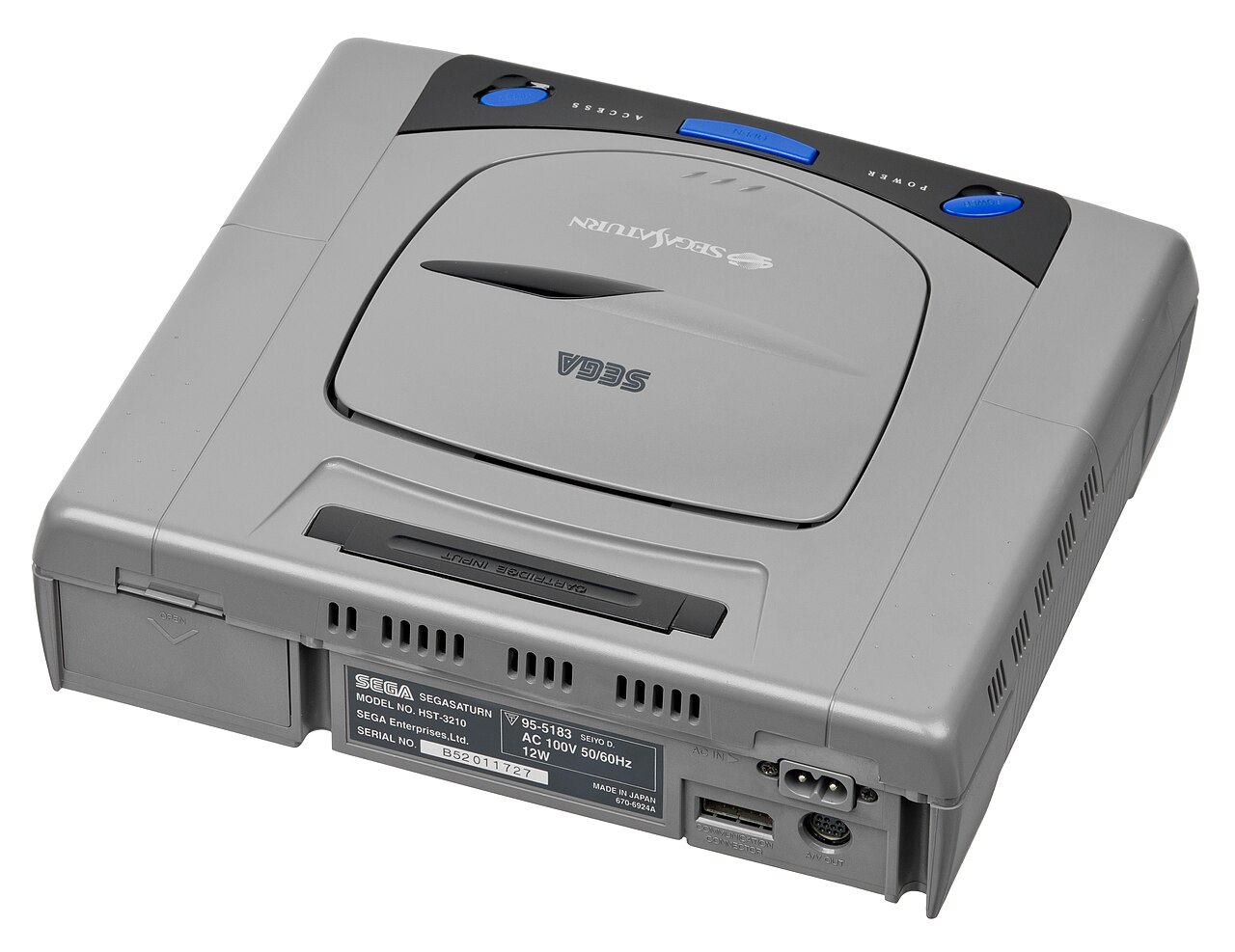
Nothing else quite replicates it: the click of the power button, the little spaceship drifting across the BIOS screen, the whir and seek of a real drive loading Guardian Heroes. Saturn hardware has also aged comparatively well — the boards are sturdy, there’s no single notorious capacitor plague, and a clean, tested console should give you years of service. But “comparatively well” is doing some lifting in that sentence, and this route has real traps.
Which Saturn should you buy?
In North America, the black Model 2 (round power and reset buttons) is the most common and usually the easiest to find in working order; the earlier Model 1 (oval buttons) is functionally the same from the couch. Expect to pay around $100–150 for a tested, working US console, less if you’re patient and local.
My actual recommendation, though, is a Japanese console. The gray Model 1 and especially the handsome white Model 2 are plentiful, frequently cheaper — roughly $60–110 shipped in decent shape — and Japan received the library the West never did: the full Shining Force III trilogy, mountains of shooters, fighters in their uncensored forms. Japanese consoles run happily on North American power. Two buying rules: pay for “tested/working,” because “untested” is eBay for “broken,” and check whether the listing mentions the drive reading discs reliably — that’s the part that dies.
The Action Replay is not optional
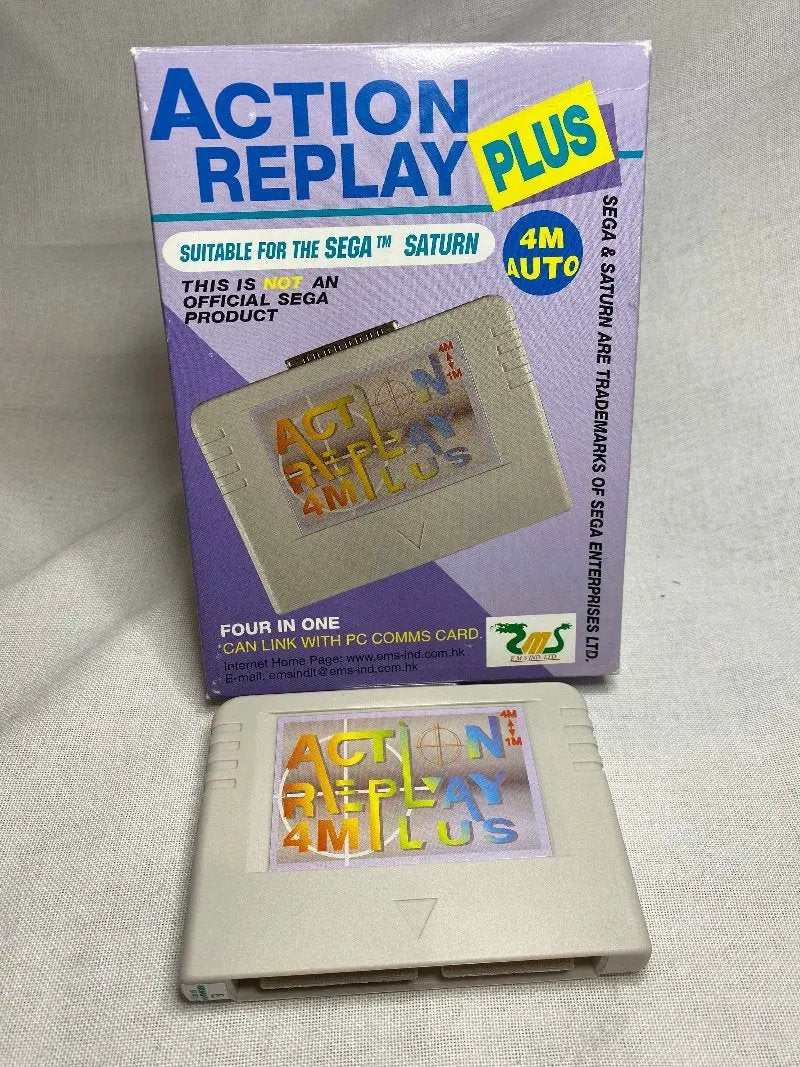
Whatever console you buy, budget about $35–45 for an Action Replay Plus 4M Auto cartridge. It is the single best value in Saturn gaming, because it does four jobs at once: it defeats the region lock, so your US console plays Japanese discs and vice versa; it supplies the 1MB and 4MB RAM expansions that games like X-Men vs. Street Fighter, Metal Slug and Vampire Savior flatly require; it stores game saves; and it does cheats, if you’re into that. A Saturn without one is a Saturn with half its library behind glass.
Playing backups: Pseudo Saturn Kai
Flash an Action Replay with the free Pseudo Saturn Kai firmware — or buy one of the many pre-flashed all-in-one cartridges (about $40–60, usually with a little physical switch to toggle the RAM modes) — and your Saturn will boot CD-R backups. It’s a fine way to play backups of games you own, try a fan translation, or test-drive something before paying collector prices for it.
Just understand what it is: a stepping stone, not a destination. The Pseudo Saturn Kai trick still relies on your console’s thirty-year-old laser doing all the work, and Saturn lasers are dying at an accelerating rate. Every year, more of the surviving fleet gives up. Enjoy discs while yours works — and know that when the drive goes, the next section of this guide is your rescue plan.
The honest downsides
- Disc prices are absurd. Panzer Dragoon Saga regularly clears $500 for loose discs. Shining Force III, Burning Rangers, Magic Knight Rayearth — all deep in three figures. The American Saturn library is priced as collectibles because that’s what it now is.
- Your saves have a battery problem. The Saturn stores saves on internal memory kept alive by a CR2032 coin battery. When it dies — and it will — the saves go with it. Back up anything precious to a cartridge.
- Drives fail. It’s not a question of malice, just physics and age. Budget for the possibility from day one.
A Saturn and an Action Replay is the price of admission. Everything else in this guide is about choosing how you’ll feed it games.
Option 2: An ODE — the whole library on an SD card
An ODE (optical drive emulator) is a small board that impersonates the Saturn’s CD drive. The console thinks it’s reading discs; it’s actually reading disc images off a memory card. Because the console itself is entirely real — same CPUs, same video chip, same everything — the games run exactly as they did in 1996. You’re not emulating the games. You’re emulating the delivery truck. For most people in 2026, this is the sweet spot of the whole Saturn scene.
Fenrir — the people’s choice
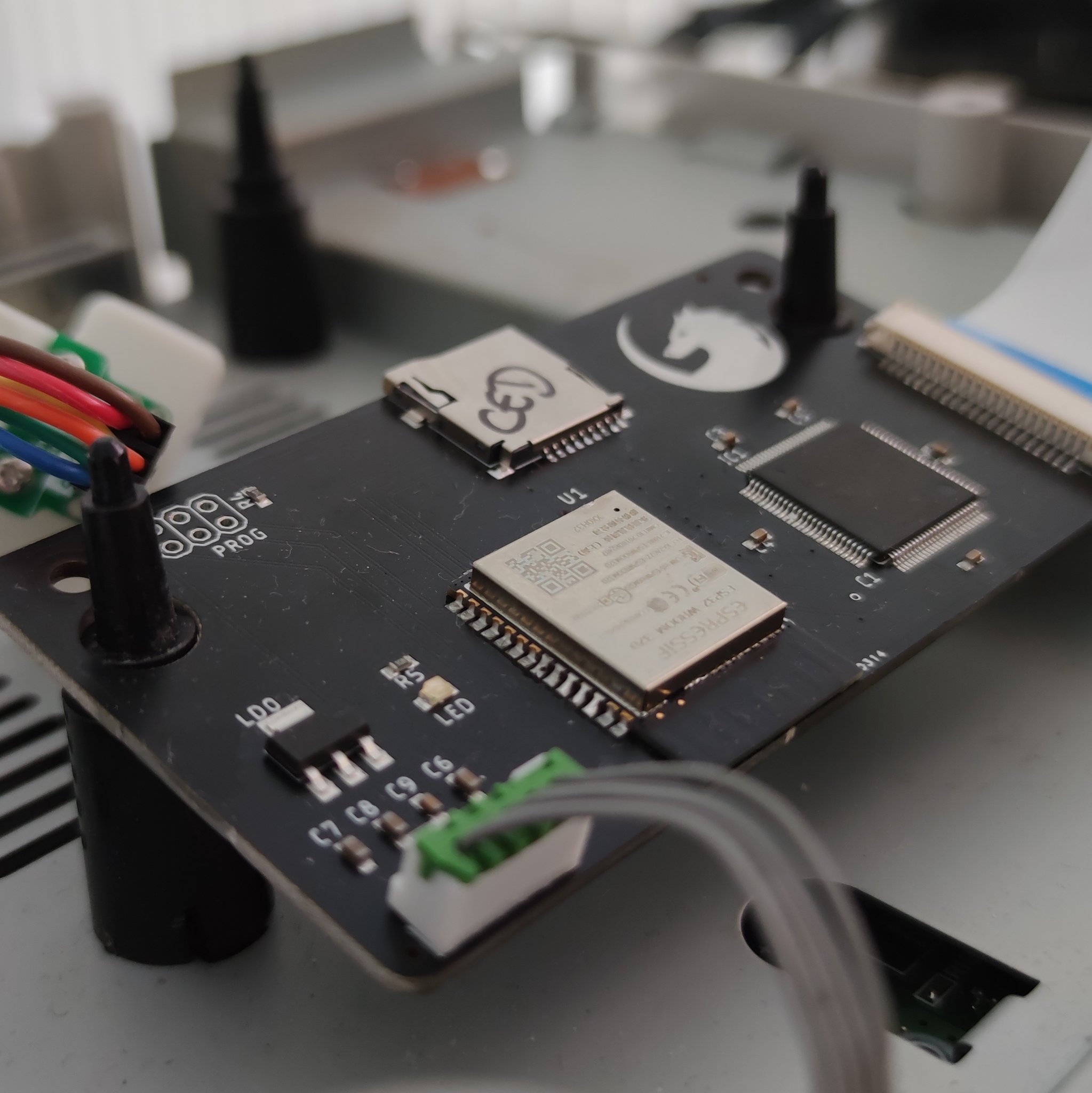
The Fenrir, designed in France by Ced, replaces the CD drive outright. The install sounds scarier than it is: open the console, unplug one ribbon cable, set the Fenrir where the drive was, close it up. No soldering, about fifteen minutes, completely reversible. Compatibility sits around 99% of the library — the same neighborhood as every serious ODE — and games load faster than they ever did off real discs.
Pricing is the Fenrir’s killer feature. The long-running Fenrir Duo costs about €110 (roughly $125–140 in the US), and the newer Fenrir Lite strips the price to €50 — around $60 — with the same core capability. It even has a party trick nobody else offers: beta firmware that can stream games over Wi-Fi from a network share. The trade-offs are modest: the original drive comes out (a roughly $45 switcher add-on lets you keep both, if you care), and multi-disc games require you to save, power down, and swap the image — a mild annoyance spread across Panzer Dragoon Saga’s four discs. Stock arrives in waves, so patience may be required.
Satiator — the no-mod option
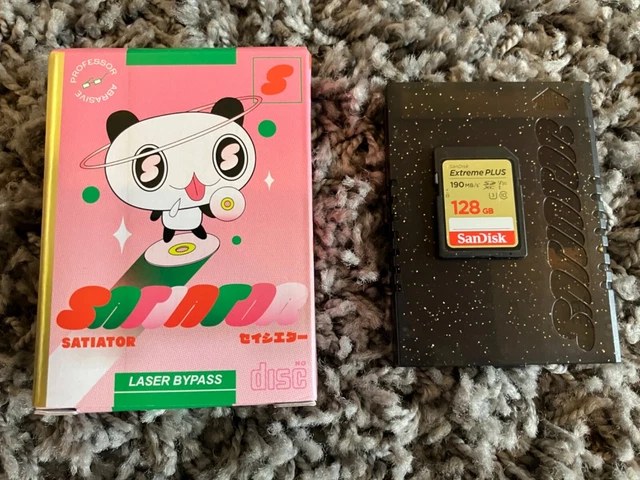
The Satiator is Professor Abrasive’s decade-long obsession, and its pitch is unique: it slides into the Video CD card slot hidden in the back of every Saturn. No tools. No opening the console. No modification of any kind — and the disc drive stays right where Sega put it, fully working, forever. Your Saturn remains a stock Saturn that also happens to play everything from an SD card.
It costs $199.99, and that’s the real debate. Years of firmware updates have pushed compatibility to roughly 99%, multi-disc games are handled properly, and the menu system has matured well beyond its shaky early days. Loading runs a touch slower than the fastest rivals, and the device does occupy that Video CD slot — meaning no MPEG movie card, a sacrifice approximately three people on Earth will mourn. If you have a pristine console you’d rather not crack open, this is your ODE, and the premium buys genuine peace of mind.
MODE — the premium pick
Terraonion’s MODE ($259.99) is the connoisseur’s ODE. It’s fast — the fastest-loading of the bunch — with a genuinely beautiful menu, and it accepts a microSD card, a USB drive, or even a SATA hard drive or SSD tucked inside the console. The same design also fits the Dreamcast and the original PlayStation (one unit per console, to be clear), so for multi-system households it’s the connoisseur’s ecosystem play. Installation is solder-free but does replace the drive.
For the Saturn alone, the Fenrir does 95% of this job for a third of the money. The MODE is what you buy when you want the best version of the thing, full stop.
SAROO — the budget wildcard
One more name worth knowing: the SAROO, a cartridge-slot device out of the Chinese hobbyist scene selling for roughly $35–85. It loads games from a microSD card through the cartridge slot and throws in RAM expansion for free. The catch is maturity — compatibility improves with every firmware release but still trails the big three, and quality varies by seller. For the price of a pizza night, though, it’s a legitimate way to test the waters.
Option 3: MiSTer FPGA — the miracle core
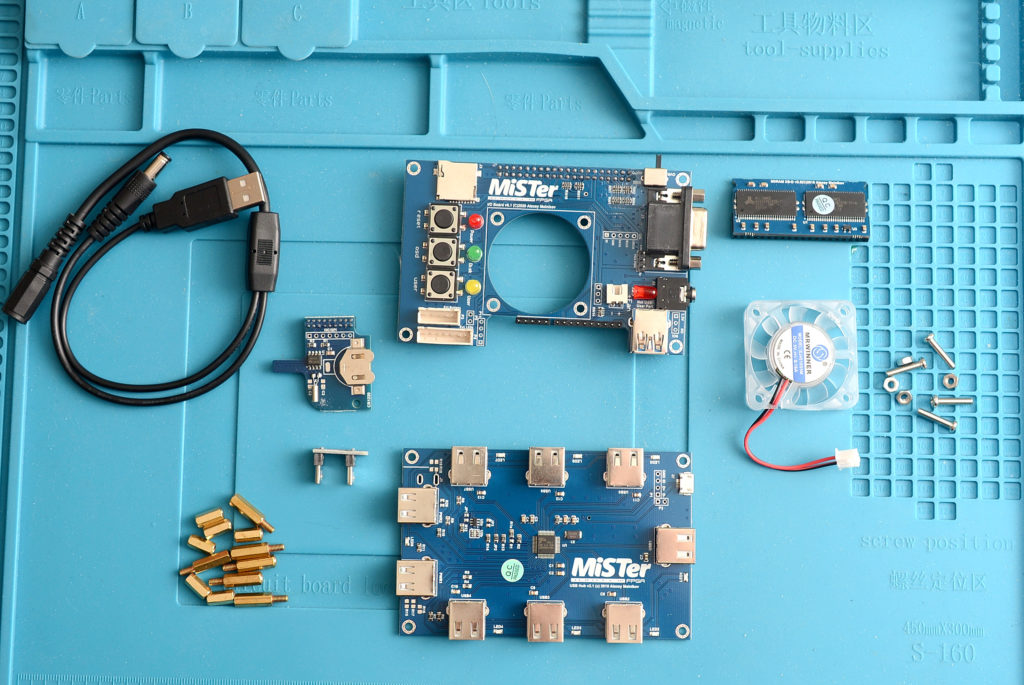
MiSTer doesn’t emulate consoles in software — it recreates their circuitry in an FPGA chip, so the hardware itself behaves like the original machine. The Saturn was considered the platform’s final boss: two CPUs, two graphics chips, and a sound processor all arguing with each other at once. For years the core was a promising curiosity. In 2026, developer srg320’s Saturn core has crossed the line into genuinely good — most of the library runs well, the big 3D titles included, and updates keep landing; a March 2026 build specifically ironed out slowdown in the 3D fighters on single-RAM setups.
The fine print, honestly stated: the 128MB SDRAM module is mandatory (a second memory module helps a handful of CD-heavy games), a few edge-case titles still glitch, it’s disc images only, and MiSTer ownership involves more tinkering — ini files, update scripts, forum threads — than any other option in this guide. Cost is the other hurdle: a genuine DE10-Nano build bought piece by piece lands around $400–500 these days, while clone boards like the MiSTer Pi bring a working setup down to roughly $200–250. The defence is that the same box also becomes your Genesis, SNES, PlayStation, Neo Geo, Amiga and half the arcade. As a Saturn-only purchase it’s steep; as a retro station, it’s the best deal in the hobby.
Option 4: Emulation — better than its reputation
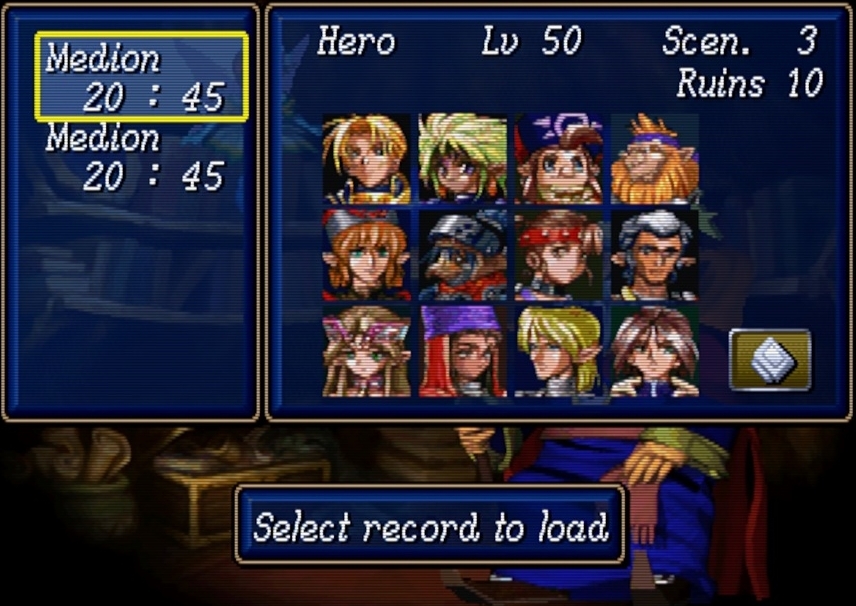
For most of this century, “Saturn emulation is bad” was simply an accurate statement. The hardware was too weird, the documentation too thin, the CPUs too many. That era is over. Modern Saturn emulation ranges from very good to excellent — you just have to pick the right tool for the job, because the three main options make very different trade-offs.
Mednafen / Beetle Saturn — the accuracy pick
Mednafen is the reference Saturn emulator, and its RetroArch incarnation, the Beetle Saturn core, is the same engine in a friendlier outfit. This is the one that gets the details right: correct timing, correct visuals at native resolution, and compatibility that covers the overwhelming majority of the library — including the long RPGs where a glitch forty hours in would be a catastrophe. It’s the emulator I trust with Shining Force III.
The price is CPU muscle. Emulating the Saturn’s chip ensemble in software is heavy work, and a modern mid-range processor — recent Core i5 or Ryzen 5 class — is the comfortable floor; the graphics card barely matters. Mednafen also won’t upscale those polygons for you. What you get is the game as it genuinely looked, which, paired with a good CRT shader, is arguably the point.
Kronos — the pretty one
Kronos, a fork of the old Yabause project, makes the opposite trade. It renders the Saturn’s polygons through your GPU at up to 4K internal resolution, and when a game cooperates, the results are startling — Virtua Fighter 2 and Sega Rally look like remasters. It also runs on far weaker CPUs than Mednafen demands. The catch is accuracy: the compatibility list is shorter, graphical glitches are more common, and some games simply won’t boot. Wonderful for sampling the library in high definition; risky as the vehicle for a fifty-hour RPG.
Yaba Sanshiro — the everywhere one
Yaba Sanshiro (the emulator formerly known as uoYabause) is the option for Android phones, handheld PCs and tired old laptops. Its compatibility is the loosest of the three, but a big slice of the 2D library — the shooters, the fighters, the puzzle games — plays perfectly well on hardware you already own. It’s free with ads, or a few dollars for the Pro version. This is Saturn on the bus, and there’s real joy in that.
A necessary word about the BIOS
Nearly every emulator above requires the Saturn’s BIOS file, and they’re particular about matching the BIOS region to the game’s region. The legitimate route is dumping the BIOS from a console you own — a short job with the right tools, and one more argument for having real hardware in the house. We won’t point you at BIOS downloads; if you own the machine, you own the means.
Option 5: Re-releases and collections — slim pickings
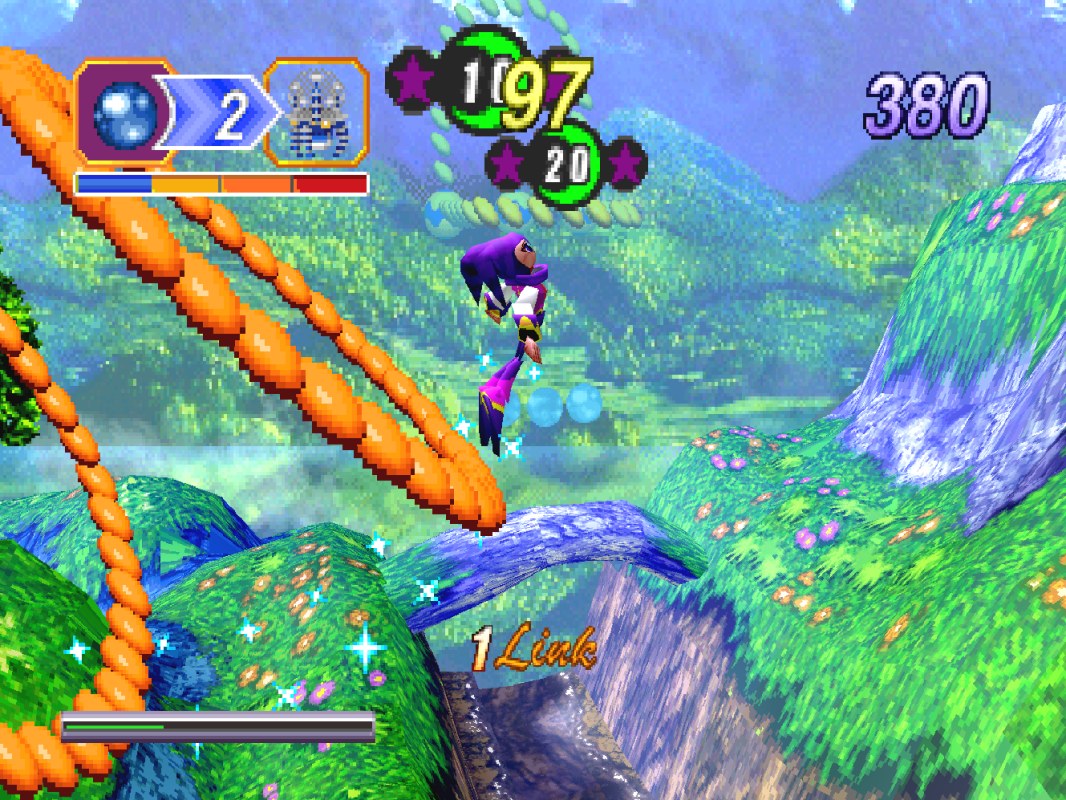
The dream would be a tidy official library: log into a store, buy the classics, play. Sega, alas, has left most of the Saturn catalogue in the vault. What officially exists in 2026 is a respectable starter shelf: the Panzer Dragoon remake (faithful and prettier than it had to be), City Connection’s Saturn Tribute line bringing Cotton, Layer Section, Guardian Force and friends to Switch, PS4 and Steam, Radiant Silvergun on Switch and Steam, Guardian Heroes via Xbox backward compatibility, the Lunar Remastered Collection finally delivering the Saturn era’s signature RPG lineage in modern form, and the 2012 HD version of NiGHTS into Dreams, still the definitive way to chase Ideya on a modern machine.
But look at what’s missing — everywhere, at any price.
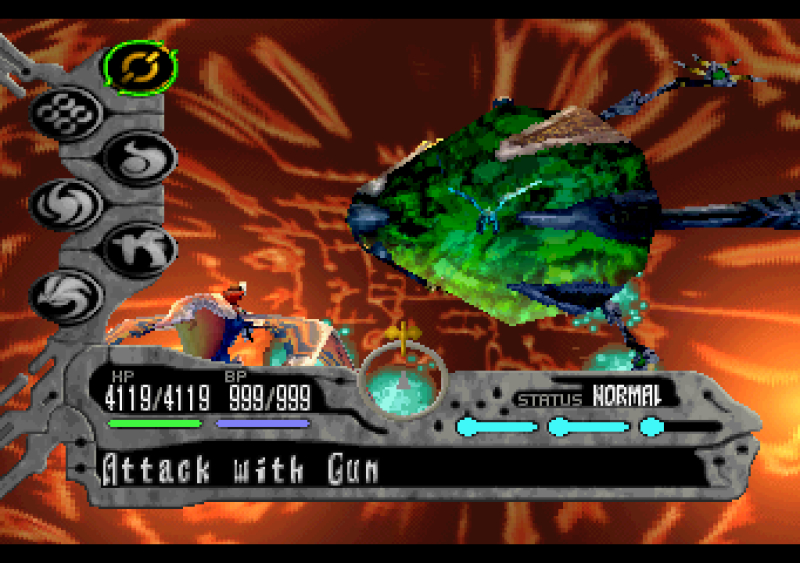
Panzer Dragoon Saga, arguably the greatest game on the system, has never been re-released. Neither has the complete Shining Force III trilogy in English, nor Dragon Force, Burning Rangers, or Magic Knight Rayearth. The crown jewels of the library exist only on the routes described above — which is, when you think about it, the entire reason those routes exist. Collections are a lovely supplement. They are not a Saturn strategy.
The bottom line: what to buy at each budget
- $0 — Emulation. Beetle Saturn in RetroArch on the PC already in your house. Download it tonight, play Guardian Heroes by bedtime, and decide whether this hobby is for you at zero risk.
- Around $150 — The authentic starter kit. A Japanese Saturn (~$90) and an Action Replay (~$40). Real discs, a world of affordable imports, and hardware you’ll never regret owning.
- Around $200–250 — The sweet spot. A Saturn plus a Fenrir (the Lite if you can catch one in stock, the Duo otherwise). The entire library, on real hardware, for less than the cost of one copy of Panzer Dragoon Saga. This is the setup I’d hand to a friend.
- Around $300–350 — Convenience or consolidation. A Saturn plus a Satiator if opening a console makes you break out in hives — or a MiSTer clone build if you’d rather have one small box that plays every system you grew up with.
- $450 and up — The deep end. A MODE in a clean console, a full DE10-Nano MiSTer build, or the first steps of a genuine disc collection. Wonderful territory. Bring money, and don’t say we didn’t warn you about Saga.
The Saturn failed in the marketplace because it was complicated, expensive, and early to a fight it couldn’t win. Thirty years on, complicated and expensive bought us one of the most distinctive game libraries ever made — and for the first time in the console’s life, every door into it stands open at once. Pick one, walk through, and mind the little spaceship on the BIOS screen. It waited thirty years for you. It can wait until tonight.