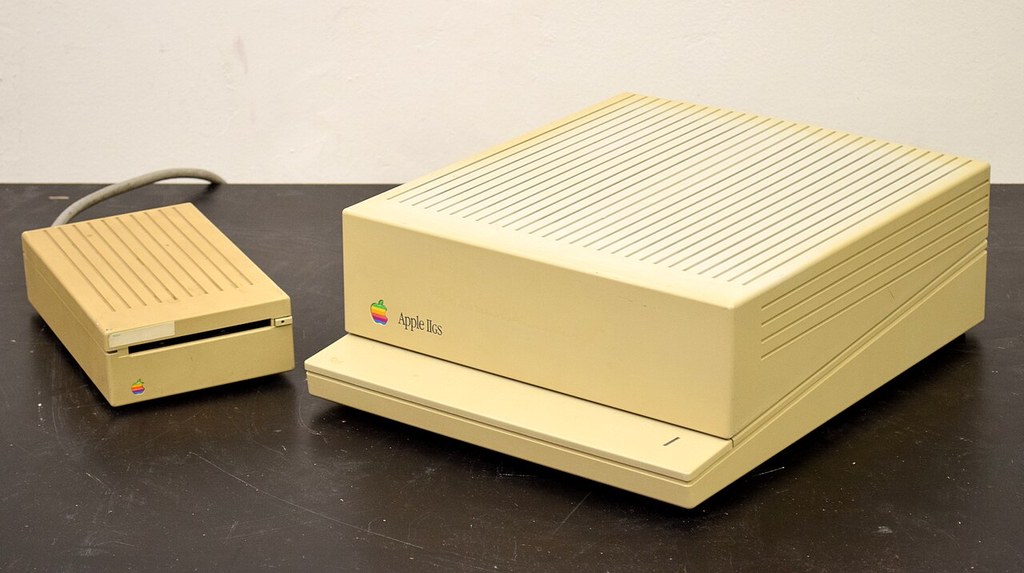
The Apple IIGS is the connoisseur’s Apple II: the last and greatest of the line, a 16-bit machine with a Mac-like operating system, a synthesiser for a sound chip, and a library that mixes definitive editions of famous games with originals found nowhere else. It is also, in 2026, one of the most satisfying retro computers to actually buy and use — old enough to be interesting, new enough to be practical, and supported by a modern ecosystem of storage, parts and software that most platforms envy. This guide covers what to buy, what to check, what it should cost, and how to set it up once it is home.
Which IIGS? The ROM generations
Every IIGS is one of three generations, identified by its ROM version, and the choice matters more than any other in this guide. The launch machines carry ROM 00 firmware: historically precious, entirely usable, and home to a handful of early bugs Apple soon fixed. The great majority of machines are ROM 01 — the settled standard, compatible with effectively the whole library, and our default recommendation for a first GS. The final generation, ROM 03 (1989), doubles the built-in ROM, expands standard memory to 1.125MB, and refines sound and housekeeping; it is the finest stock IIGS Apple sold and the scarcest, with a small number of very late software and hardware quirks that keep ROM 01 partisans loyal. There is no wrong answer, but there is a value answer: ROM 01 machines are the most plentiful and the best priced, ROM 03 commands a premium, and ROM 00 is a collector’s first state. Our separate feature on the ROM generations and the Woz signature edition tells the full story; the short version is to buy ROM 01 for use, ROM 03 for keeps, and either with confidence.
The signature question
The first production run of IIGS cases — commonly cited as the first 50,000 — carries Steve Wozniak’s signature moulded into the case: the famous “Woz edition.” It changes nothing about how the machine runs and a great deal about what it is worth and how it feels to own. Verify before paying the premium: the genuine signature is moulded into the plastic itself, part of the case tooling, not a sticker, print or engraving added later. A Woz case on a healthy early machine is the platform’s blue-chip collectible; a Woz case alone, married to a later board, is a lovely thing worth case money, not machine money. Sellers are not always precise about the distinction. Be the buyer who is.

The five-point inspection
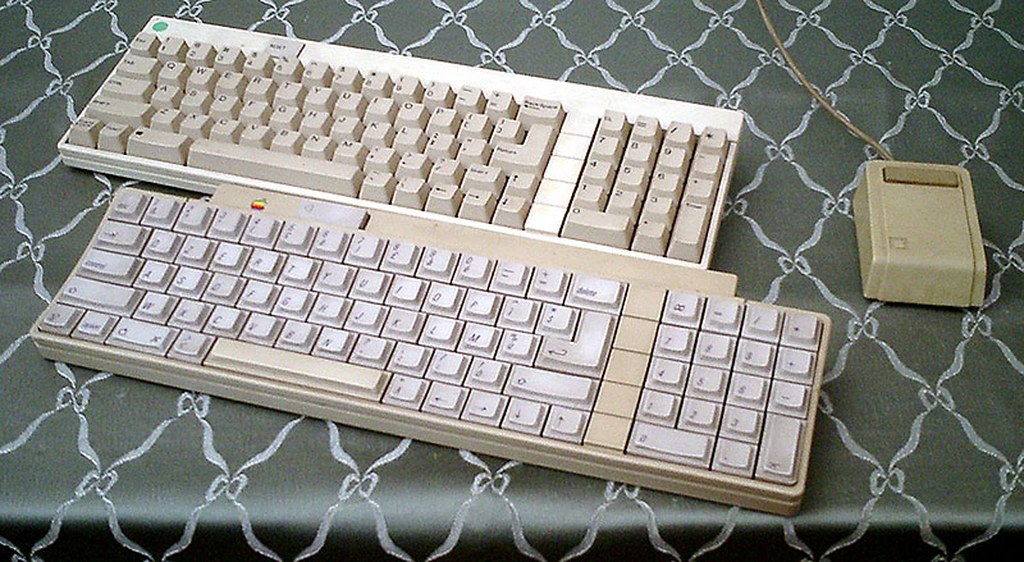
Buy the machine in front of you, not the listing. Work through these five checks before money changes hands, or insist on the answers in writing from a remote seller. One: it powers on and self-tests. A GS shows its ROM version at boot and runs a built-in diagnostic; a machine that will not reach the “Check startup device” message or a desktop has a story you are about to pay for. Two: the battery. The IIGS carries a soldered lithium clock battery that, left forty years, can leak and destroy the motherboard — the single most common fatal GS ailment. Open the case (it unclips, no screws) and look: a clean battery area, or better, evidence of a modern replacement, is worth real money; corrosion near the battery is a walk-away or a steep discount. Three: the keyboard. The GS’s ADB keyboard is excellent and increasingly valuable in its own right; confirm every key registers, and count its presence in the price — a machine without one is a machine plus a shopping trip. Four: the video. The GS’s analogue RGB output is non-standard by modern expectations; a bundled AppleColor RGB monitor is the period-correct prize, but confirm at minimum that the composite output gives a clean picture, and budget for a modern video solution if no monitor is included. Five: the drives. A working 3.5-inch drive is a bonus, not a necessity — modern storage (next section) will replace the whole question — but a seller’s working floppy drive tells you the machine has been alive recently, which is information money cannot otherwise buy.

What to budget in 2026
Prices move with condition, completeness and the signature, so treat these as hedged 2026 guide ranges rather than quotes. A loose, working ROM 01 machine with keyboard typically changes hands in the low-to-mid hundreds of dollars; tidy, tested examples with a monitor and drives sit above that; ROM 03 machines carry a clear premium over equivalent ROM 01s; and clean Woz-signature machines sit at the top of the ordinary market, with boxed, complete, documented examples in a bracket of their own. Software follows the same curve: common titles are modest, while the late and the beloved — the Cinemaware games, Task Force, the Pangea titles — command serious money boxed. The archive has preserved everything for play; collect the boxes for love, and do not pay rarity prices for software you only intend to run.

Storage: the first upgrade, full stop
Whatever machine you buy, your first purchase after it should be modern storage — the subject of our dedicated feature, and the upgrade that transforms the GS from artefact to daily computer. A CFFA3000 card (CompactFlash and USB as fast hard drives) is the definitive internal solution when available; a Floppy Emu gives faithful floppy-drive emulation from SD card at the drive port; a wDrive offers its own keenly priced take on the same idea. Any of them, loaded with System 6.0.1 and the community archive’s images, gives you a GS that boots in seconds and carries its library whole. Budget for one before you budget for a second game.
Memory, sound and the sensible extras
Beyond storage, three upgrades cover most owners’ ambitions. Memory: GS/OS and the late software flower at 1MB and above, and modern RAM cards are available and inexpensive — the single cheapest transformation of the machine’s manners. Sound: the Ensoniq chip’s stereo needs a third-party stereo card or adapter to reach external speakers properly, an upgrade every GS deserves at least once in its life, ideally through the speakers you already own. Video: modern adapters and upscalers that translate the GS’s RGB to contemporary displays range from simple cables to sophisticated converters; buy for the display you actually have, and keep the composite output as your faithful fallback. Accelerators exist and are wonderful; they are also the one upgrade a first-year owner does not need. The stock GS, stored and fed properly, is already the machine its brochure promised.

Where to buy, and how not to be sorry
The IIGS trades in the usual places — the big auction sites, the community’s own marketplaces and forums, KansasFest’s trading tables, and the occasional miraculous local listing — and each has its etiquette. Auction listings reward patience and punish adjectives: “untested” means untested, “powers on” means exactly that and no more, and a machine photographed booting to a desktop is worth a measurable premium over one photographed in a garage. Community sales, by contrast, run on reputation, and a seller who can tell you the battery’s history, the ROM version and the keyboard’s health is selling you certainty along with the machine; pay for it gladly. In all channels, insist on the keyboard question early — a GS without its ADB keyboard is an incomplete purchase at any price — and factor shipping’s physics into distant bargains: these are dense, forty-year-old plastics, and a cheap machine packed badly is the most expensive kind.
Building the first library
Software collecting rewards the same patience. The sane 2026 strategy is two-track: play everything from the archive on modern storage, and collect physically the titles that mean something to you — which, after a month with the machine, will be a specific and personal list. Know the shape of the market before you chase it: the launch-era Activision and Electronic Arts titles are findable; the Cinemaware games in their big illustrated boxes are the shelf’s aristocracy; the late releases — Task Force’s generation, the 1990 titles — are the true scarcities, produced as the market thinned; and Pangea’s catalogue, Alien Mind and Xenocide above all, carries the premium that native classics always eventually command. Condition language matters as much with software as with hardware: “complete” should mean box, discs, manual and inserts, and a seller who photographs the contents has answered half your questions in advance. Buy the story, not the shrink-wrap — a played, loved, complete copy of Defender of the Crown is a better citizen of your shelf than a sealed anything.
A note on monitors and modern displays
One buying trap deserves its own paragraph, because it catches a newcomer every season: the IIGS’s RGB output is a 15kHz analogue signal with the machine’s own connector and sync conventions, which modern displays were not designed to accept directly. The period AppleColor RGB monitor remains the most satisfying answer and bundles command their premium for a reason; failing that, the community supports a range of converter and upscaler paths of varying cost and fidelity, and the machine’s composite output — soft, honest, entirely usable — will carry your first months while you decide. What you should not do is pay a “complete system” price for a machine whose bundled display is an incompatible modern monitor in a hopeful box. Ask what the picture in the listing was photographed on. It is the most revealing question in the whole transaction.
Your first evening
Setup, in order. Open the case; check the battery before anything else, and replace or remove a tired original before it makes the decision for you. Connect keyboard, mouse and display; power on and confirm the ROM version. Fit your storage device, install System 6.0.1, and boot to the Finder — the moment the GS becomes a modern-feeling computer. Then the library: the flagship story for the history, Tass Times for the sound, Defender of the Crown for the spectacle, and one French demo for the argument that settles all arguments. Welcome to the last great Apple II. You bought well — and if the evening runs long, as first evenings with this machine reliably do, you will understand every section of this guide from the inside.
One last piece of counsel, from everyone who has stood where you are standing: buy the best machine you can reasonably afford, buy it once, and spend the difference in evenings rather than in repairs and regrets. The IIGS rewards owners who play it. Forty years on, that is still the whole secret — that, and checking the battery first.