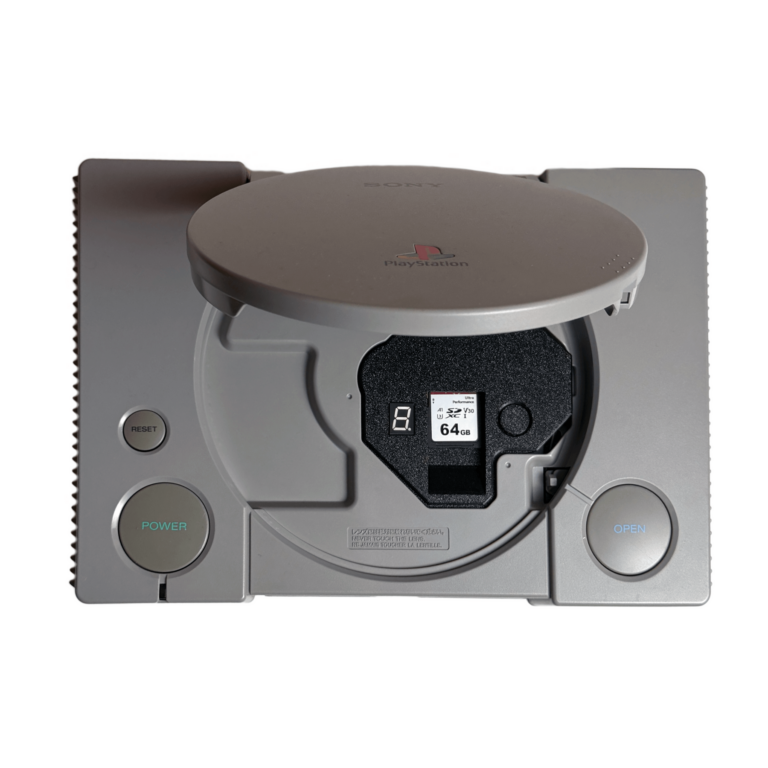
At a glance: ArcStation · Solderless optical drive emulator (ODE) for every PlayStation 1 model, fat and PSone · One-person project, designed and manufactured in Ukraine · €150, back in stock November 2026 · Replaces the CD-ROM drive with SD-card loading · No soldering, no modchip, fully reversible
Every original PlayStation still in service is running on borrowed time, and the part doing the borrowing is the disc drive. ArcStation is a new drive replacement that takes the laser out of the equation entirely: it drops into any PS1 — including the little PSone — with no soldering at all, and loads your games from an SD card instead. What makes it worth a feature rather than a news brief is how it does that. ArcStation doesn’t just feed the console game data. It impersonates the laser itself.
The grey box is outliving its laser
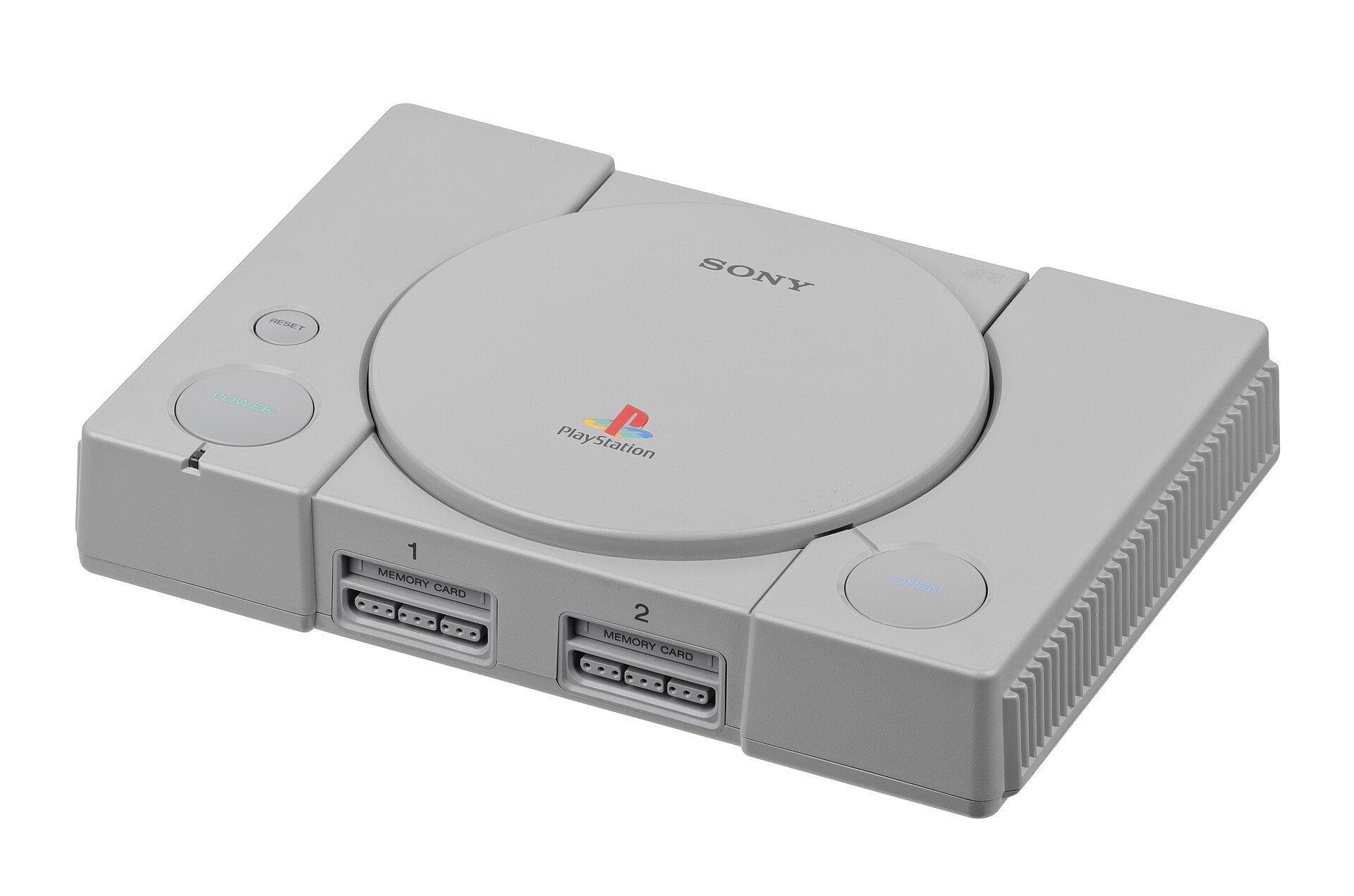
The PlayStation’s library is enormous, varied and still culturally important, and the consoles themselves were sold in such numbers that working units remain easy to find. Availability is not the same as reliability, though. On a machine that is now three decades old, the CD-ROM drive is usually the first major component to fail — and it fails in the most annoying way possible, gradually, one skipped intro movie and one refused disc at a time.
The usual fixes are running out of road. A replacement drive can help, but replacement parts are inconsistent, and every donor console you might strip for parts is exactly as old as the one you’re trying to save. That is the problem ArcStation is aimed at: remove the single most failure-prone part of the machine while leaving everything else — the original processor, graphics hardware, controllers and video output — exactly as Sony built it. The console stays a PlayStation. It just stops depending on a laser that has earned its retirement.
ODEs in sixty seconds — and the two names you already know
An optical drive emulator does what the name promises. It takes the disc drive’s place inside the console, presents disc images stored on modern media as though they were real discs, and lets the rest of the hardware get on with its job. For CD-based consoles with ageing lasers, it has become the standard preservation move.
On the PlayStation, two names have defined the category. The xStation is the established choice, and a good one — but fitting one is a soldering job, and it only fits certain models. The PSIO takes a different route, plugging into the parallel port found on early PlayStations, but it still needs a switch board soldered inside the console, and it has its own compatibility quirks. Between them they leave a clear gap: every PS1 that isn’t on the supported list, and every owner who looks at a row of tiny solder pads and sensibly closes the lid again.
That gap is precisely ArcStation’s pitch. Every model. No solder. And if you change your mind, the whole thing reverses — your original drive goes back in and the console is stock again.
The trick: it doesn’t feed the PlayStation data, it fakes the laser
Here is the part that separates ArcStation from the ODE crowd. Most drive emulators talk to the console over a digital bus, working with decoded data — they answer the console’s requests the way a drive would, but in a digital conversation the console has to be designed to have. ArcStation instead recreates the analog signal the laser pickup itself produces as it reads the pits and lands on a real disc. At the signal level, it behaves like an optical pickup, not like a peripheral.
That one decision buys two things no spec sheet bullet can. The first is reach: because the board is imitating the pickup rather than negotiating with a particular motherboard revision, it can work across all PlayStation 1 revisions — with a dedicated compatibility setting for even the earliest PU-8 boards. The second is invisibility. Since the console is hearing exactly what it would hear from one of its own discs, the machine is, as far as it knows, unmodified. No modchip is required, and games that actively check for modchips boot as though the console were stock — because at every level the console can inspect, it is.
The install: unbolt, swap, done
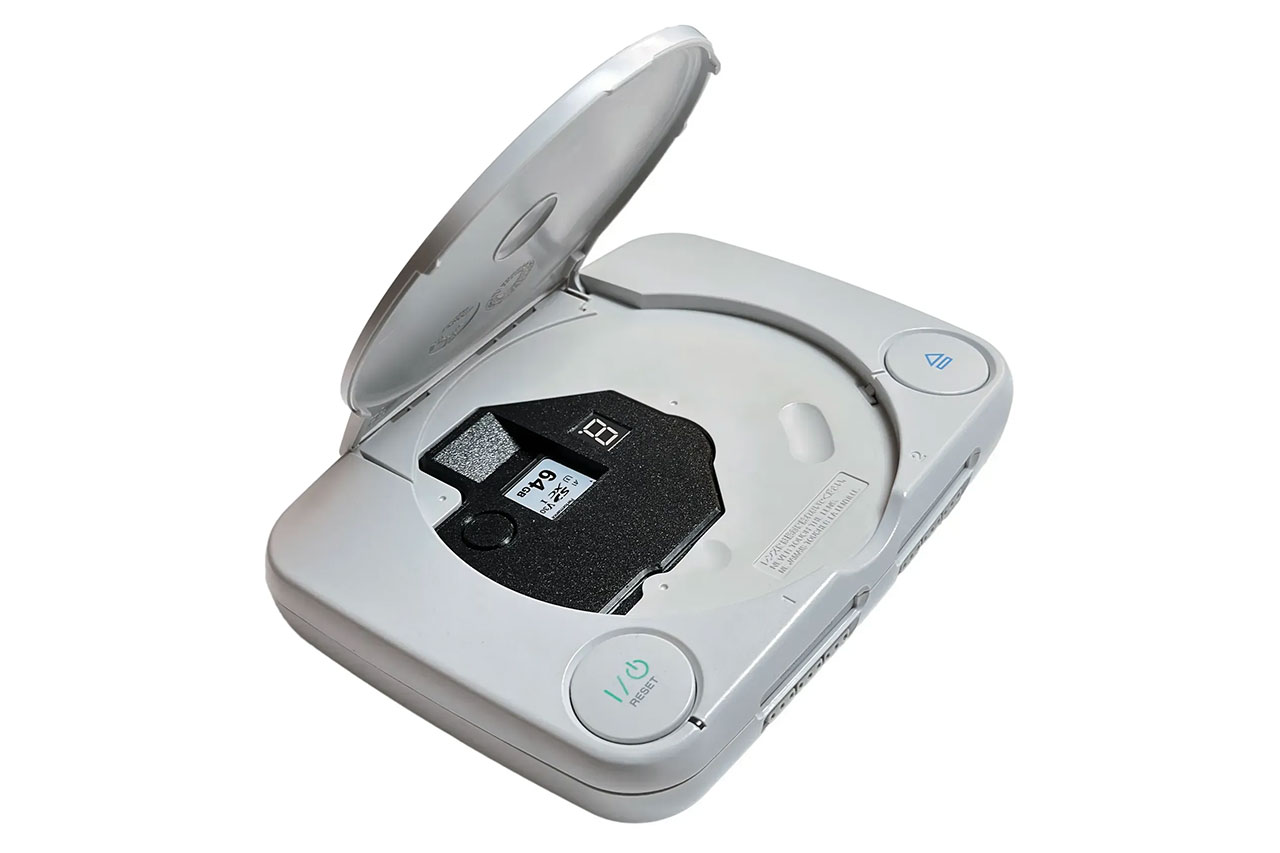
The installation is the headline, so let’s be concrete about what’s involved. You open the console, remove the original CD-ROM assembly, and set the ArcStation board in its place on its fitted mount — the 3D-printed enclosure comes preinstalled. A small set of cables does the rest: optical and motor cables, SIO0 flat cables and power cables, all included in the kit. The kit is complete for the job, in other words — the device with its enclosure preinstalled, every cable the swap needs, and the installation guide and user manual published online. Finally, you set the console’s region on a bank of onboard DIP switches — there are settings for European PAL, Japanese NTSC-J and American NTSC-U machines, plus one for consoles that already carry a modchip.
No iron, no flux, no lifted pins, no cut traces. That matters beyond convenience: it makes the modification genuinely reversible, and it opens a serious hardware upgrade to the large majority of retro fans who have no interest in learning to solder on a console they care about. One asterisk belongs here, and we’ll give it in full in the catches below: the solderless install covers the core ODE functions on the PSone, but two of the convenience features need more than cables on that model.
Living with it: menus, memory cards and six-disc queues
Day to day, ArcStation turns the PlayStation into an SD-card system. You copy your disc images to the card — CUE/BIN, ISO and single-BIN files are supported, covering the standard formats used for PlayStation disc preservation, multi-track audio layouts included — organise them into folders and subfolders, and launch them from the device’s own menu. Cards of 1 GB and up work, formatted FAT32 or exFAT, and the maker recommends low-latency A1 or A2-rated cards for best performance. The menu itself is properly thought through: it can refresh the game list, switch display themes, toggle sound cues, rotate the LED display, show database titles or plain file names, and even auto-start your last played game after a short delay.
Two features deserve singling out. Virtual Memory Cards give every game its own memory card file on the SD card, so your saves stop competing for the fifteen blocks on a physical card that always seemed to fill up right before a boss fight. And multidisc games are handled the way they should be: for most multidisc titles the device builds the disc queue automatically when you launch, you can hand-build a queue of up to six discs when needed, and you swap discs mid-game using the ArcStation’s button and LED display — the “please insert disc two” moment survives, the hunt through jewel cases doesn’t. Games that expect the session to continue across the swap get exactly that: no reset, no return to the menu, just the next disc.
The details keep going in the right direction. Play is region-free, including on the PSone, which opens up the parts of the library that never left Japan or Europe. And for protected European titles, ArcStation supports LibCrypt patch files placed alongside the game image — the sort of unglamorous compatibility work that separates a serious ODE from a simple loader.
The honest catches
No early hardware project is all upside, and this one has a list you should read before ordering. Start with the memory cards: while Virtual Memory Card support is active, do not insert a physical memory card — RetroRGB’s installation coverage warns that doing so can corrupt your saves. If you prefer real cards, turn the virtual ones off in the menu and the issue goes away. Second, the PSone asterisk in full: on the smaller console, the virtual memory card and the reset-to-menu gamepad shortcut are not part of the solderless install. RetroRGB’s updated coverage confirms both features can work on a PSone, but only by soldering quite a few wires — which rather defeats the object if solderless was your reason for buying. Third, a console limitation rather than an ArcStation one: an early PAL PlayStation may not properly display a 60 Hz NTSC game on some setups, leaving you with audio and a black screen. The game loads; the television is the problem.
Then there’s buying one. The regular in-stock price is €150 — RetroRGB’s own order came to around $165 shipped to the US — and the cheaper preorder tiers, which ran from about €130 to €145, have sold through in steps. At the time of writing, preorders have been paused over payment processing: card issuers have been flagging payments to Ukraine (RetroRGB’s card flagged the purchase on the first attempt, exactly as it should have), and the maker’s shop currently says ArcStation will be back in stock in November 2026, with a notify-me signup in the meantime. The SD card, it’s worth adding, is not included — you supply your own.
Finally, the structural catch: this is a one-person project. That is a large part of its charm and all of its risk. Documentation, support and future production rest on a single developer, and as with every brand-new hardware project, the sensible default is that long-term reliability is unproven until independent reviewers have lived with production units for a while.
Verdict: who should be ready in November
If you own a PlayStation whose drive is dying — or a PSone that the solder-required ODEs never properly served — ArcStation is the most approachable serious upgrade the PS1 has had: every model, no soldering, reversible, region-free, with virtual memory cards and proper multidisc handling, from a board that fools the console by imitating its own laser. Owners of early PAL machines with 60 Hz ambitions, and PSone owners who specifically want the virtual memory card and in-game reset without picking up an iron, should weigh the catches above. And if your drive still reads everything you throw at it, there is no emergency at all — the case for a board like this only gets stronger as the surviving lasers get older. Everyone else tempted by one should do the grown-up thing and watch for long-term reviews as production units land — starting with the restock in November. We haven’t had a unit on our own bench yet, so our verdict rests on the maker’s documentation and the hands-on coverage so far; what we can say is that the idea is sound, the details are right, and the problem it solves is real. The old grey box doesn’t need replacing. It needs its drive to stop being the thing that kills it.