The Famicom Disk System was one of Nintendo’s boldest ideas. Launched in Japan in February 1986, it hung a floppy disk drive off the side of the Famicom and changed what console games could be: disks were cheap, they could be rewritten, they could save your progress, and the RAM Adapter that connected drive to console threw in extra memory and an additional wavetable sound channel for good measure. The Legend of Zelda, Metroid and Castlevania all began life as Disk System games. The tragedy, thirty years on, is that the Disk System is dying twice — its disks are forgetting their contents, and its drives are forgetting how to read them. In 2015, a homebrew hardware maker known as loopy released a twelve-dollar answer to both problems: the FDSStick.
A format with a self-destruct timer
Start with the disks. Famicom Disk Cards are proprietary 2.8-inch magnetic media — Mitsumi Quick Disks in Nintendo yellow — holding a little over 100 kilobytes across two sides. Magnetic media has a finite memory: bits fade, stray magnetic fields scramble data, and the disks’ exposed surfaces collect the scars of decades. Worse, the Disk System’s party trick became its curse. Nintendo’s Disk Writer kiosks let owners erase a disk and write a new game onto it for a small fee, which means surviving disks were rewritten again and again — and their labels often describe a game that was overwritten long ago. A collector buying a “Zelda” disk may find it contains something else entirely, or nothing readable at all.
The economics that built the format guaranteed a big library worth saving. Around two hundred Disk System titles appeared between 1986 and the early nineties, sold cheaper than cartridges — and rewritable for a few hundred yen at a kiosk, against thousands for a new game. That bargain is why so many landmark games are disk natives: The Legend of Zelda used the medium to save Link’s progress, Metroid and Castlevania built their passwords-versus-saving experiments on it, and Japan’s Super Mario Bros. 2 — the brutally hard one the West later knew as The Lost Levels — lived there too, alongside oddities like the disk-only Doki Doki Panic. Every one of those games depends on hardware that is now older than many of its players.
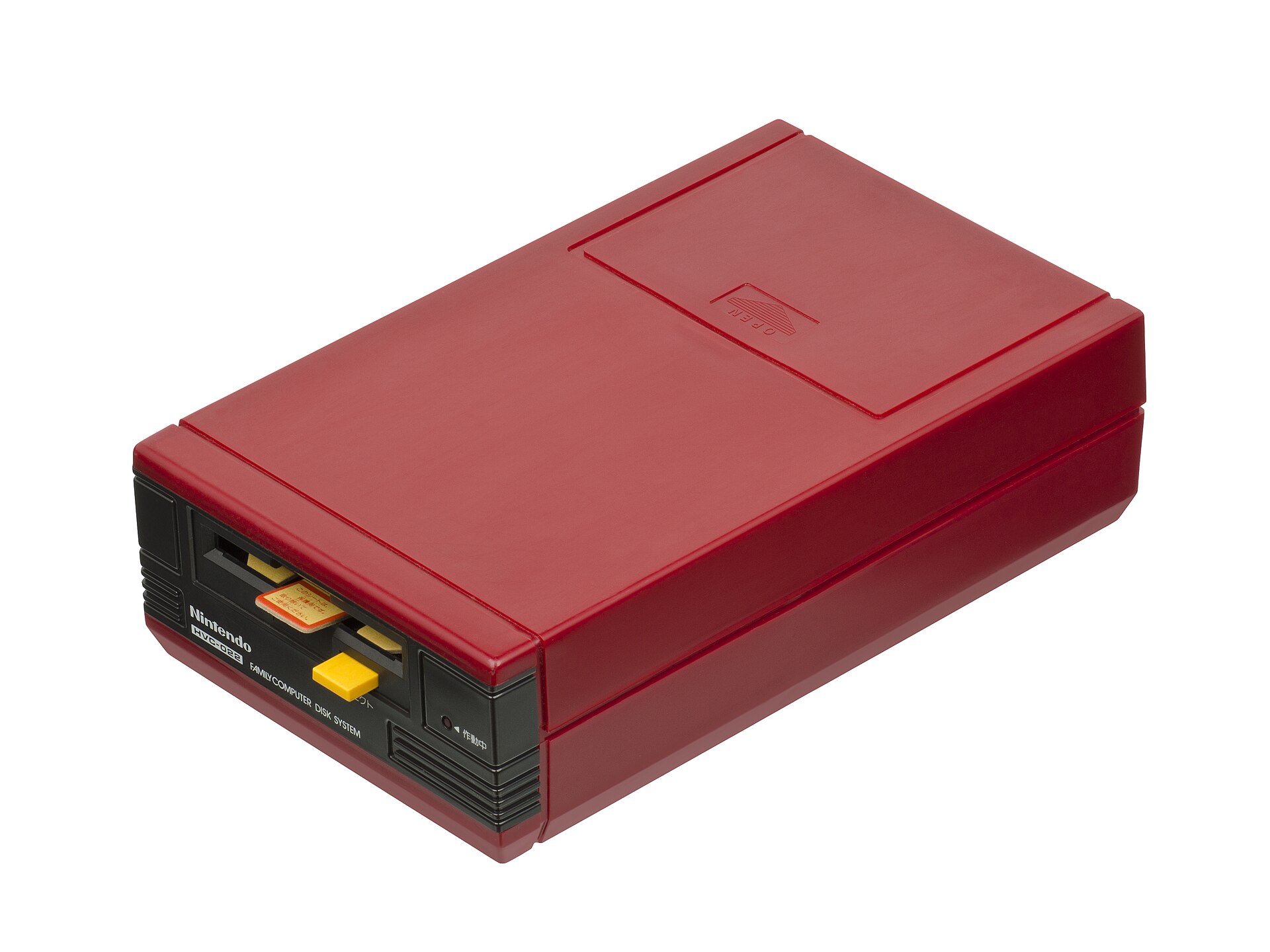
Then there is the drive itself, a big red box of 1980s cost engineering. Its motor spins the disk via a rubber belt, and rubber belts perish: they stretch, slip and eventually snap, usually taking the drive’s alignment with them. A Disk System that worked last year can greet you this year with nothing but error codes. Servicing one means sourcing a replacement belt, recalibrating the head and hoping the disks you feed it are still honest. For years, the only way to sidestep the mechanics was the FDSLoadr, a heroic early-2000s hack that linked a PC to the RAM Adapter through a parallel-port cable and DOS software — effective, but about as convenient as it sounds, and increasingly orphaned as parallel ports vanished from computers.
The stick that thinks it’s a disk drive
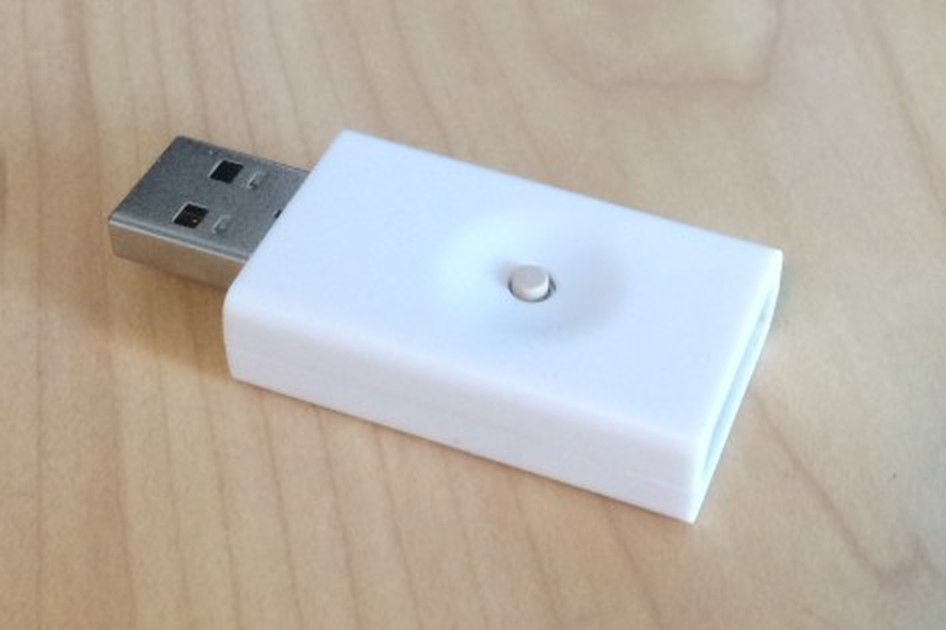
Loopy — a fixture of the NESDev community, better known for his 3DS and DS capture boards — approached the problem from the opposite direction. The FDSStick is a drive emulator, shaped like an unassuming USB thumb drive. One end is a standard USB plug for your computer; the other carries the connector that normally mates with the Disk System drive’s cable. In between sits 256 megabits of flash memory: enough, as loopy puts it, to hold every FDS game ever released. You write disk images to the stick from a PC using his software — a full load takes under a minute — plug the stick into your RAM Adapter’s cable, and switch the Famicom on. A simple built-in menu lists your games. Pick one, and the Famicom loads it exactly as if a real drive were feeding it a real disk, at the same unhurried pace. One button on the stick does the rest: tap it to change disk sides, just as you once flipped the physical disk, and hold it to eject.
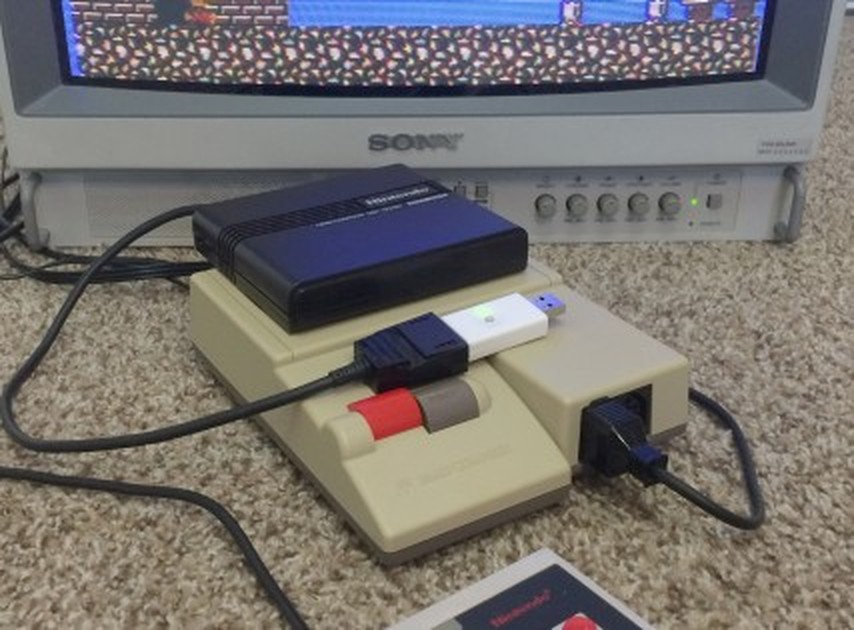
The crucial design decision is what the FDSStick does not replace. Everything that makes a Disk System game itself — the RAM Adapter’s extra 32K of program memory and 8K of graphics memory, its distinctive wavetable audio channel, its disk controller logic — stays exactly where Nintendo put it, in the cartridge slot. The stick only impersonates the one component that wears out: the spinning rust. That is why its compatibility is effectively perfect, and why it sounds right. Flash cartridges such as the EverDrive N8 can play FDS images too, but they must emulate the Disk System’s hardware, extra sound channel included, and the results — especially the audio — are approximations. The FDSStick never emulates the Famicom side of the conversation at all. There is nothing to approximate.
Day to day, the illusion is nearly total, with one psychological quirk: silence. A real Disk System announces its work with whirs and clicks as the head seeks; the stick loads in monk-like quiet, which owners report takes some getting used to — more than once, a first-time user has assumed the Famicom has hung when it is simply loading without a soundtrack. The rituals are preserved, though. Multi-side games still demand a flip at the same moments, signalled by the same on-screen prompts; you answer with presses of the button — tap patterns select side A or side B — and progress saved to a disk image stays saved, written back into the image on the stick and backable-up to the PC like any other file. Your 1987 Zelda save, in other words, can finally be copied.
Preservation in both directions
Play is only half the story. Connect the stick at both ends — USB to the PC, drive connector to the RAM Adapter — and games can stream straight from your hard drive. More importantly for archivists, with a simple adapter cable joining two RAM Adapter cable ends, the FDSStick can talk to a real Disk System drive: reading original disks into image files before their bits fade, and writing images back out onto real disks. That second trick quietly solves the Disk Writer problem — a disk whose contents were overwritten in a kiosk in 1989 can be restored to the game its label promises, and a dying disk can be reborn from a verified image. The software also handles the Game Doctor disk format, a nod to the grey-market copiers of the era whose dumps still circulate, and the stick’s firmware can be updated over USB. Sharp’s Twin Famicom, which built the Disk System into a single console, is not left out either: loopy sells a small adapter that connects the stick to the Twin’s expansion port.
And the price deserves repeating. When the FDSStick went on sale in the summer of 2015 it cost $11.99 in the United States — less than a single replacement drive belt fitting gone wrong, less than one moderately desirable Disk Card on the collectors’ market. International buyers could order through Tototek. In a hobby where preservation hardware routinely runs to three figures, loopy was practically giving the things away.
Emulate the medium, keep the machine
The FDSStick’s real legacy is the philosophy it embodies, one that has since become the preservation scene’s gold standard. Optical-drive emulators do for the Dreamcast and Saturn what the stick did for the Famicom: leave the console’s silicon untouched, and retire only the mechanical medium that time is destroying. Disks and drives were always the perishable part of these machines; the electronics, cared for, will outlive us. A twelve-dollar thumb drive that lets a Famicom believe it is reading a floppy disk in 1986 — loading screens, side flips and all — is not just a convenience for people with broken drive belts. It is the Disk System’s best chance of still being playable in another thirty years, when the last of its yellow disks has forgotten everything.