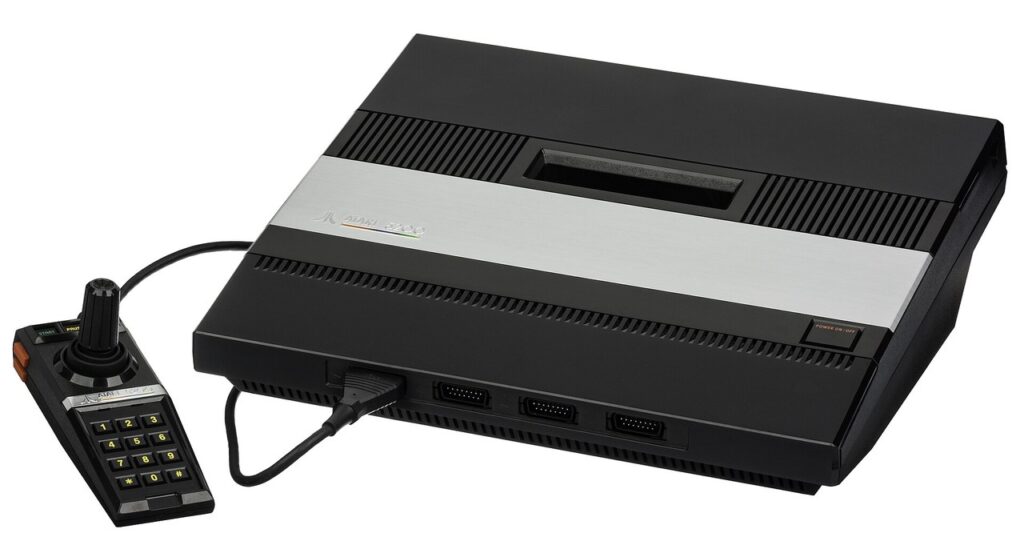
The Atari 5200 is the easiest classic console to buy wrong. Not because it is rare — it sold respectably and the cartridges are plentiful — but because it exists in two meaningfully different models, connects to a television through a piece of hardware unlike any other console’s, and ships with the most temperamental standard controller ever packed in a box. Buy the right example, set it up the right way, and you have one of the most rewarding retro systems of the eighties: superb arcade conversions, the Trak-Ball, twin-stick Robotron. Buy blind, and you will own a very large, very black paperweight. This guide walks the whole path: which model, what to check, how to connect it, what to do about the controllers, how to load it with games, and what fair money looks like in 2026.
Step 1: Choose your model — four ports or two

The original 1982 console has four controller ports. The 1983 revision has two. Everything else flows from that fork. Choose the four-port model if you want the machine as launched — four ports matter for a small number of multiplayer games and the homebrew Castle Crisis, and the four-port’s controllers dock in a storage compartment built into the case. Its complication is power and video: the four-port uses Atari’s automatic switchbox, a single unit that carries both the RF signal and the console’s power down one cable. If that switchbox is missing or failed, the console shows nothing at all. Four-port consoles can be modified to use a standard power arrangement, and many on the market already are — ask.
Choose the two-port model if you want the simple life. It uses a conventional separate power supply and a standard RF connection, so a dead accessory cannot take the whole machine down with it, and it is the only model compatible with the CX55 cartridge adapter that plays Atari 2600 games. You lose the storage bay and two ports; you gain compatibility and sanity. For most buyers in 2026, the two-port is the sensible default, and the four-port is the connoisseur’s pick. Either way, both play the entire 5200 cartridge library identically.
Step 2: Check it like you mean it
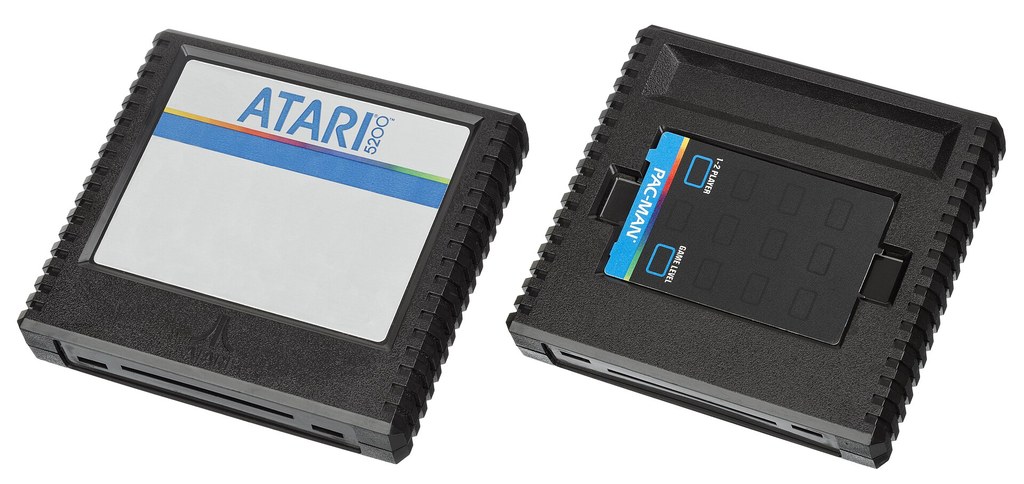
Consoles: power it on with a cartridge in the slot — the 5200 has no built-in game screen to test with, so a seller demonstrating with any working cart, even Super Breakout, is worth more than any description. Check the cartridge slot door, the controller ports for bent pins, and on four-ports, whether the power modification status is known. Controllers deserve their own inspection, below. Cartridges are nearly indestructible; a cart that does not boot usually just needs its edge connector cleaned with isopropyl alcohol and a cotton bud. Prices in Step 5 assume tested, working gear — untested “found in a loft” bundles should be priced as projects.
Step 3: Connect it to a modern television

As shipped, the 5200 speaks RF — an analogue TV signal your television’s tuner may or may not still understand. The painless period-correct route is an RF-to-coaxial adapter (a small F-type plug) straight into the TV’s aerial input, then tune to channel 3 or 4 as the console’s switch dictates; on a CRT this is exactly how it was meant to look, and a good CRT remains the zero-lag, zero-fuss display of choice. On a modern flat panel, RF works but shows every flaw of a forty-year-old analogue signal, and some sets add processing lag. The enthusiast routes, in ascending order of commitment: a composite or S-video modification, installed by the thriving community of modders or sold pre-fitted on many consoles — this is the single best upgrade a 5200 can receive, transforming the picture from fuzzy to crisp; or an external scaler of the RetroTINK class fed by that composite/S-video signal for HDMI. Four-port owners: remember your console’s power runs through its switchbox, so until it is power-modified, keep the original box in the chain or have the mod done properly — do not improvise with a random power supply.
Step 4: Solve the controller question
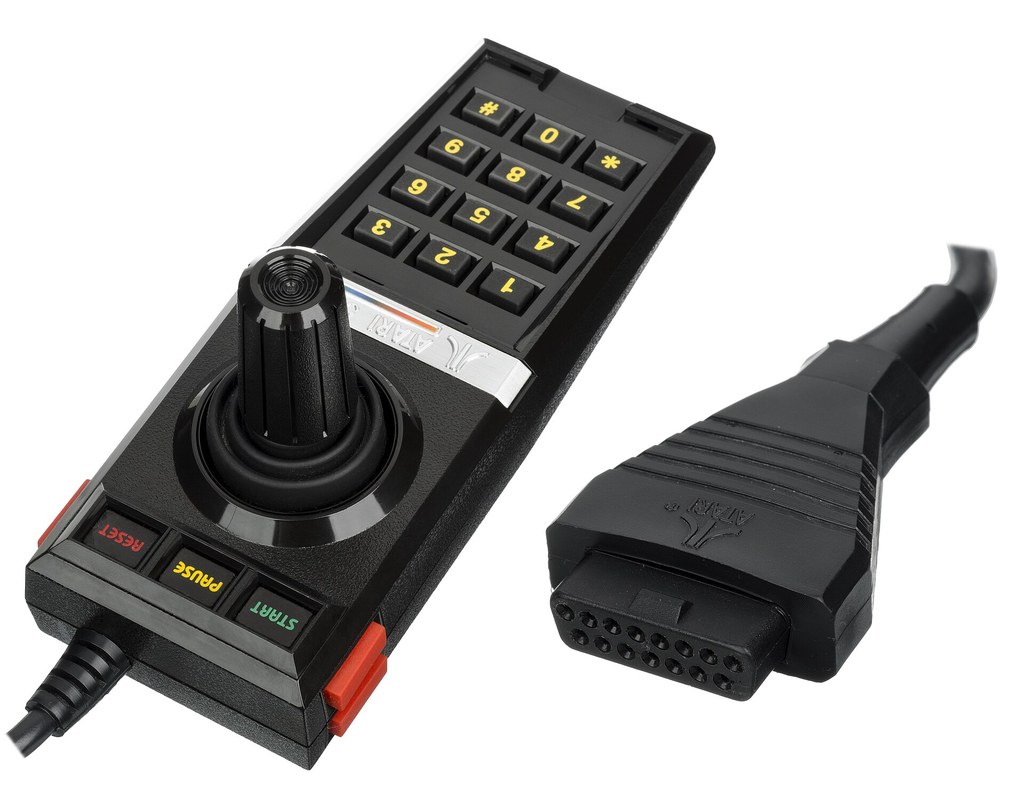
The stock 5200 controller is an analogue stick, two side fire buttons and a twelve-key pad in a tall black shell. Its ideas were ahead of its materials: the stick does not self-centre, its internal flex circuits and carbon-dot buttons degrade with age, and a controller that “sort of works” is the most common disappointment in the whole hobby. Budget for one of these solutions from day one. First, a rebuilt original: the community supplies replacement flex circuits and button upgrades, and specialist sellers offer fully refurbished controllers that are better than factory-fresh — this keeps the authentic feel, keypad included. Second, a modern alternative: third-party and homebrew controllers and adapters exist that let you use digital sticks or pads from other systems, with the keypad handled by a separate pad or overlay — the pragmatic choice for the maze games, where the stock stick is weakest. Third, the peripherals that make the system sing: the Trak-Ball, essential for Centipede and excellent in Missile Command and others, and the twin-controller holder that shipped with Robotron: 2084 and Space Dungeon — if your copy of either game lacks the tray, reproductions and loose originals circulate. Whatever you choose, buy two working controllers minimum: half the library’s soul is two-player.
Step 5: Load the library — cartridges and multicarts

The commercial library is small — sixty-nine released cartridges in the usual count — and mostly affordable. The pack-ins and big licences (Pac-Man, Ms. Pac-Man, Centipede, Dig Dug, Joust, Galaxian) are common cartridges that should cost loose-game money, not collector money; the late and third-party releases (Gremlins, H.E.R.O., the Lucasfilm games, Zenji) command more, and boxed examples of anything are a different market entirely. Because the library is small, the 5200 is also the ideal multicart system: modern flash cartridges hold the entire commercial library, the recovered prototypes and the whole homebrew catalogue on one board, and they run on original hardware. Many owners pair a shelf of favourite original carts with a multicart for everything else — the sensible end-state. Homebrew releases from AtariAge, in box with manual, are the library’s living edge and hold their value well.
Step 6: Maintain it — cleaning, care and common fixes
A 5200 bought well still needs an hour of kindness before its first evening. Start with the cartridges: clean every edge connector with a cotton bud and isopropyl alcohol until the bud comes away clean — this alone resurrects most “dead” carts. The console’s cartridge slot can be cleaned with a thin card wrapped in a lint-free cloth dampened with the same alcohol. Controllers benefit most of all: a controller that works intermittently usually has oxidised contacts or a tired flex circuit rather than a fatal fault, and the community’s replacement internals — modern flex circuits and improved button contacts — are inexpensive, well documented, and transform a mushy pad into a precise one; if you do not fancy opening it yourself, rebuilt controllers are sold ready to play. On four-port consoles, listen for the switchbox: a console that powers but shows a weak, snowy picture is often suffering there rather than in the console itself, and the standard power modification removes the question permanently. Store the machine’s enormous case flat, keep the controllers docked or coiled loosely — the cables dislike tight bends — and your 5200 will outlast another forty years.
A starter library for new owners
Finally, the shopping list this guide exists to support. Buy first, in this order: Pac-Man and Ms. Pac-Man (cheap, essential, the second one magnificent); Robotron: 2084 with its holder (the system’s masterpiece — do not buy a copy without the tray unless you have a line on one separately); Centipede plus the Trak-Ball (the peripheral and its reason to exist, bought together); Dig Dug and Joust (the reliable joys); then one deep cut to make the collection yours — Space Dungeon if you can find it with its holder, Rescue on Fractalus! if you cannot. That is a library of eight purchases that covers the system’s whole personality: the arcade at its best, the peripherals at theirs, and the originals nobody else had. Everything after that is appetite, and the 5200 rewards appetite — the hidden gems, the homebrew releases, the prototypes on a multicart. Start with the eight. You will not stop there, but you will start right.
Troubleshooting: the three classic symptoms
Almost every “broken” 5200 that changes hands presents one of three symptoms, and all three are usually curable. Symptom one: completely dead — no power light behaviour, no picture. On a four-port, suspect the switchbox or its cable first; the console may be innocent. Symptom two: power, but a black or rolling screen. Clean the cartridge, try a second cartridge, and check the channel setting matches the television; a 5200 with a dirty slot is a 5200 pretending to be broken. Symptom three: the game plays but the controller wanders, sticks, or its buttons ignore you. That is the flex circuit and button contacts, the most common fault in the entire ecosystem, and the fix described in Step 6 — replacement internals or a professionally rebuilt controller — cures it outright. Genuinely dead custom chips are rare; genuinely dirty contacts are everywhere. Diagnose in that order, in that spirit, and you will rarely buy a lemon — or sell one short.
Where to buy matters as much as what. Specialist retro sellers and the AtariAge marketplace offer tested gear and honest descriptions at fair premiums; auction sites offer bargains at the price of the troubleshooting above; local finds are the hobby’s lottery tickets. Whatever the channel, the rules in this guide travel: model known, power arrangement known, controllers inspected, cartridge demonstrated. Do that, and the big black box will reward you out of all proportion to its reputation.
One last piece of setup advice, offered because it is the one new owners most often skip: whatever display route you choose, spend ten minutes with the machine’s least glamorous games first — Super Breakout, Galaxian, the pack-in shelf — before judging your picture, your controllers or your purchase. The 5200’s charms are in its play feel as much as its picture, and a console that feels right with the simple games will feel magnificent with Robotron in the tray. Set up in haste and you will troubleshoot ghosts that were never in the machine. Set up in order — model, power, picture, controllers, library — and the SuperSystem does what it was built in 1982 to do.
What to pay in 2026
Prices move, but the shape of the market is stable. A tested, working console with two controllers and a pack-in game is the standard bundle: expect to pay noticeably more for a two-port in guaranteed working order or a four-port with its switchbox proven, and treat any untested console as worth half. A composite-modified console carries a fair premium over a stock one and is worth it if you play on a modern TV. The Trak-Ball in working order is a mid-priced peripheral, not a rarity; controllers that have been professionally rebuilt are worth their premium over untested originals every time. The common cartridges should be bought loose and cheap; save your money for the handful of genuinely scarce ones, and for the two or three homebrew releases that will become your most-played games. Buy the best example you can, set it up once, set it up properly — and the SuperSystem will do the rest.