At a glance: Every PlayStation 3 model explained — which to buy in 2026, what to check, how storage upgrades work, and how to get the best picture and library out of Sony’s most complicated console.
The PlayStation 3 is the most interesting console to buy second-hand, and the most treacherous. No other machine varies so much between its own revisions: one model plays PlayStation 2 discs with real PS2 hardware inside, another dropped that entirely; one is a chrome-trimmed piano-black monolith that can cook itself, another is a featherweight with a sliding plastic lid; storage ranges from 20GB curiosities to 500GB late models, and every one of them can be upgraded with a laptop drive and a screwdriver. This guide walks the whole range: the three body shapes, the famous backwards-compatible models, what to inspect on a used unit, how to upgrade storage, which cables and controllers to hunt, and how to build a library while the games are still cheap. Buy right, and a PS3 in 2026 is the best-value retro purchase in gaming — three PlayStation generations’ worth of history in one box.
The original “fat” models (2006–2009)
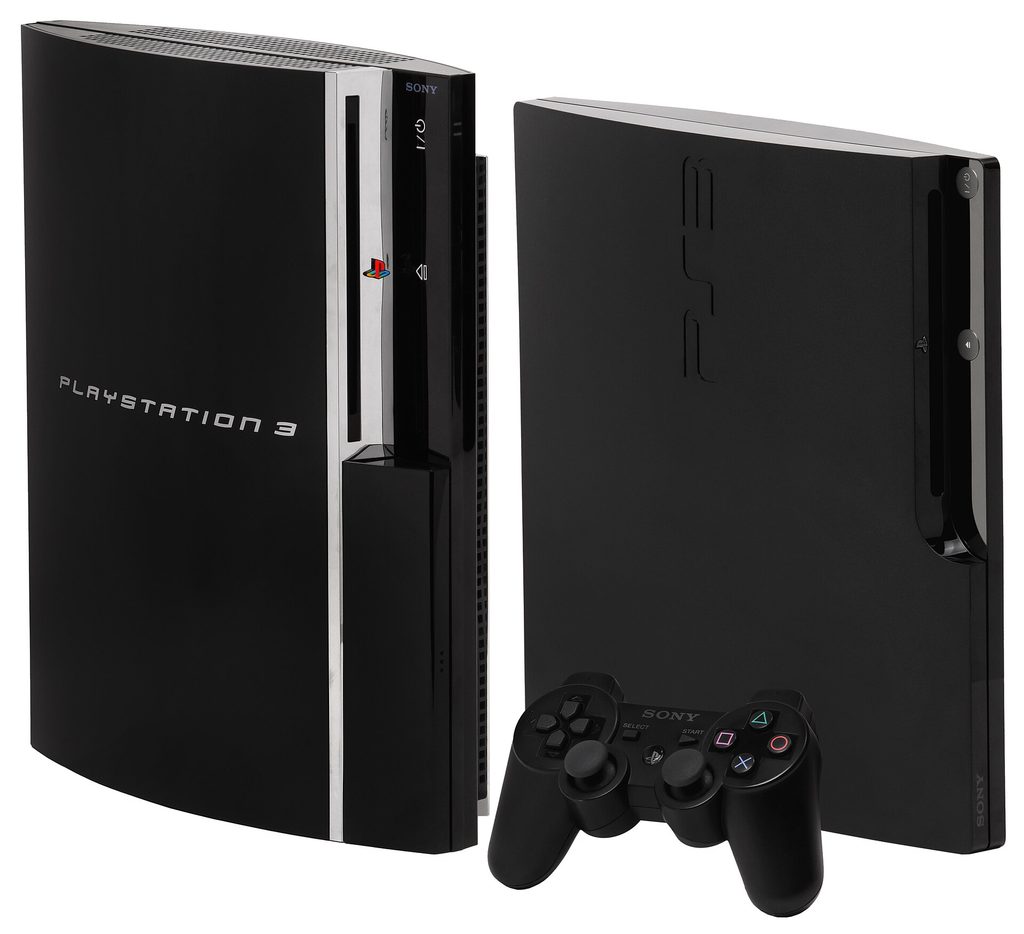
The launch design — glossy black, chrome trim, the famous Spider-Man-font logo — is the PS3 at its most ambitious and its most fragile. These machines carry the full original feature set: four USB ports, a multi-card reader on the early units, SACD playback on launch models, and hardware that runs hot and loud by modern standards. The crucial fact about fat models is that they are not one machine. They divide, absolutely, by what is inside them, and the divide is the most important thing in PS3 collecting.
The backwards-compatible grails: CECHA and CECHB
The 60GB CECHA (North America and Japan, November 2006) and the 20GB CECHB contain actual PlayStation 2 hardware — the Emotion Engine and Graphics Synthesizer chips — and play PS2 discs with near-total compatibility, upscaled, in the original hardware’s own timings. They are the only PS3s that do it this way, and they are the collector’s summit: one machine for PS1, PS2 and PS3 discs. The later 80GB CECHC/CECHE models replaced the Emotion Engine with software emulation while keeping the Graphics Synthesizer, and still play most PS2 discs well, but with a compatibility list rather than a guarantee. Everything after that — every later fat, every Slim, every Super Slim — plays PS1 discs only. Check the model number on the serial sticker before you pay a premium: sellers know what CECHA means, and so should you.
The fat-model warnings
Honesty section: launch-era fats are the PS3s most prone to the famous yellow-light failure, a general hardware fault most often rooted in heat-stressed solder and ageing capacitors, and their fans, fed by two enormous chips on an early process, can reach vacuum-cleaner volume under load. None of this is a reason to avoid them — a serviced, well-kept CECHA is a treasure — but it is a reason to test thoroughly, to keep the machine ventilated, and to budget for the reality that a twenty-year-old launch console is a maintained classic car, not an appliance. If your priority is simply playing PS3 games quietly for years, the later models below are the rational buy, and the PS2 library can ride separately.
The Slim (2009–2012)
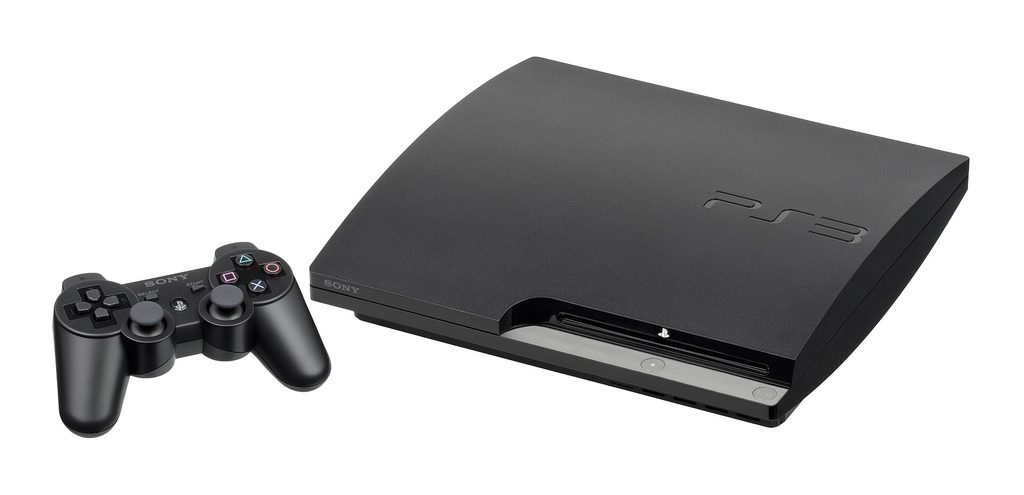
The CECH-2000 series and its successors are the sweet spot for most buyers in 2026. The Slim cut the size and power draw by a third, replaced the gloss with a durable matte finish, dropped the card reader and two USB ports, and — crucially — moved to cooler-running silicon that makes it dramatically quieter and, in the later 2500 and 3000 revisions, very reliable. It still plays PS1 discs, still outputs everything the fat did over HDMI, and its Blu-ray drive is the same workhorse. Storage shipped at 120GB and rose through 320GB; all of it upgrades the same easy way described below. If a listing just says “PS3 Slim, tested, working,” at a fair price, that is the machine to buy for a first console: the best balance of authenticity, reliability and cost in the entire range.
The Super Slim (2012–2017)
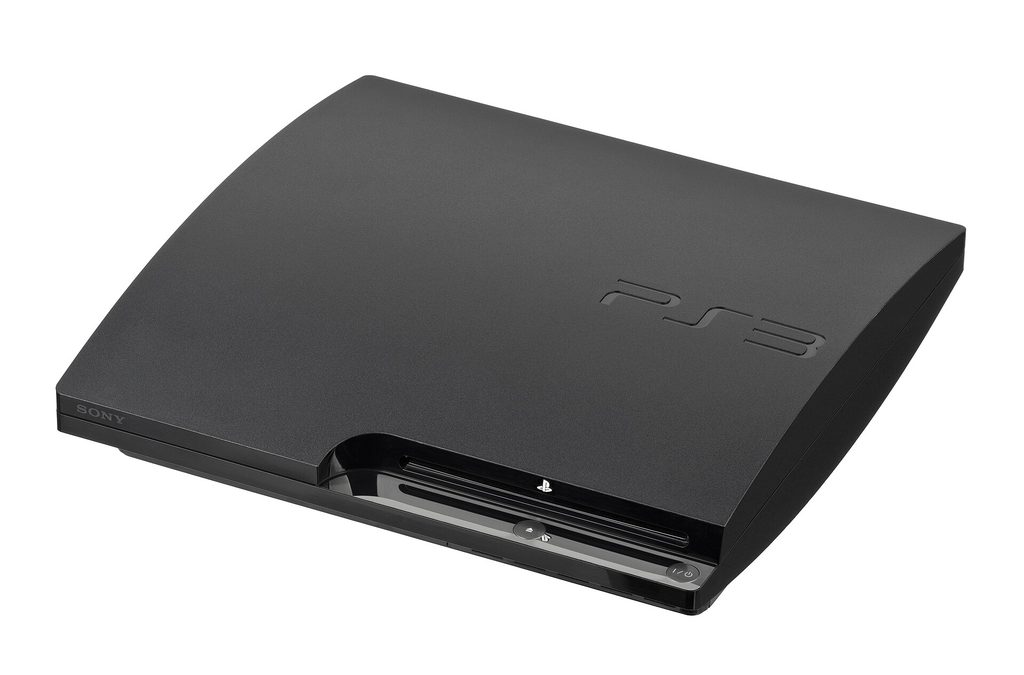
The final redesign is the lightest, cheapest-built and, in its own way, charming PS3: a smaller shell with a manually sliding top-loading disc door instead of the slot mechanism. That door is the Super Slim’s secret virtue — no slot-loading mechanism to fail, discs pressed onto a spindle like a PS1 — and its vice, feeling plasticky in the hand. Internally it is the coolest and quietest runner of all, sipping power, and its 500GB top model carries the largest stock storage Sony ever shipped. It lacks the fat’s features and glamour, but as a pure games machine bought to be used daily, a clean Super Slim is arguably the smartest money in this guide. Check the sliding door’s mechanism for stiffness and the disc spindle’s grip; both are simple, inspectable mechanics rather than electronics.
Storage: the five-minute upgrade everyone should do
Every PS3 model takes a standard 2.5-inch SATA drive — hard drive or SSD — in a caddy behind a single panel. The upgrade is the easiest in console history: back up to an external drive from the system menu if you care about your saves, swap the drive (one blue screw on most models), reinstall the system software from a USB stick with the update file Sony still hosts, and restore. A 500GB or 1TB drive transforms the machine: the PS3 generation is full of mandatory game installs (some famously enormous), downloadable titles marooned when the store eventually fades, and PS1 classics that weigh nothing and number in the hundreds. An SSD will not revolutionise load times — the console’s SATA bus is old — but it removes seek noise and shaves installs. Do the upgrade before you build the library, not after.
Controllers, cables and picture quality
Insist on a genuine DualShock 3 if you can: the Sixaxis that preceded it has no rumble, and the market is flooded with counterfeit DualShock 3s whose sticks and batteries betray them within a month — buy from reputable sellers, check the label printing and weight, and test the sticks’ dead zones. The console outputs over HDMI up to 1080p, and its upscaling of PS1 and (on compatible models) PS2 discs over HDMI remains the cleanest simple way to play those libraries on a modern television. For CRT owners, the PS3’s analogue outputs with the right cable give authentic 240p/480i for PS1 games — one box serving both eras of display. A genuine controller, an HDMI cable, and a healthy hard drive are the whole starter kit; Move controllers and the Eye camera are optional garnish for the handful of games that use them, several of which are excellent.

Playing today: accounts, store and discs
The practical state of the nation in 2026: discs are the reliable backbone — the PS3’s Blu-ray library is vast, mostly cheap, and region-free for games, one of the console’s under-sung virtues. The PlayStation Store for PS3 survived its announced closure after a famous reprieve and still sells a shrinking catalogue; buying digitally now means buying on the console itself with wallet funds added through other devices, a small ritual worth performing for the download-only gems (several appear in our hidden-gems list on this shelf) before any future change. System software still updates to the final version, online play persists in the community-supported corners where servers were peer-based or revived, and PS1 discs — hundreds of them, many worth pennies — play on every model ever made, which makes any PS3 also the world’s most over-engineered PlayStation 1. Trophy hunters should know the system still syncs; completionists should know some online trophies in closed games are gone forever, and the community maintains lists so you can choose your battles.
What to check before you pay
- Model number first. It decides backwards compatibility, noise and value. CECHA/CECHB for hardware PS2; CECH-2500/3000 Slims and Super Slims for reliability.
- Run it for twenty minutes. Fan ramping to full within minutes, or a shutdown, ends the negotiation. Launch fats are loud; they should not be frantic.
- Test the Blu-ray drive with a game disc and a film. The dual-laser drive reads CDs, DVDs and Blu-rays differently; a machine that plays films but not games is telling you something specific and expensive.
- Check the HDMI port and all USB ports with a controller charge — port damage is common and hard to see in photos.
- Ask about the hard drive. Clicks, a replacement of unknown origin, or a missing caddy screw all matter; budget the upgrade either way.
- Controller authenticity. A fake pad in the bundle is a discount waiting to be negotiated.
The games to buy first
A buying guide that stops at hardware is only half a guide, so here is the short shelf to build around your machine, in the order the market is likely to punish delay. Start with the exclusives that never left: the Uncharted trilogy, The Last of Us, the God of War saga and its PSP ports in the collections, Demon’s Souls, the Killzone and Resistance trilogies, inFamous 1 and 2, the Ratchet & Clank Future trilogy, Gran Turismo 5 and 6, LittleBigPlanet 1 and 2, Heavy Rain, Valkyria Chronicles and Ni no Kuni — every one of them reviewed or listed on this shelf. Then the oddities before they finish appreciating: Puppeteer, Tokyo Jungle on its rare physical releases, Folklore, 3D Dot Game Heroes and the Siren games. Then the multiplatform games whose PS3 versions carry something special — the era when this console’s versions were the lead platform is longer than memory suggests. The guiding principle of PS3 collecting in 2026 is simple: the famous games are plentiful and pressed in the millions, so buy condition before rarity; the strange games are neither, so buy them when you see them. A shelf built this way — one console, three generations of PlayStation discs, a hard drive full of downloads — is the most gaming history per square foot that money can currently buy, and the window in which it is also cheap is visibly closing.
A note on regions and revisions
Two final details for the careful buyer. First, PS3 games are region-free, so a Japanese or European disc will play on a North American machine (the reverse is equally true) — though downloadable content and Blu-ray films keep their own region rules, so buy DLC-region and disc-region as a matched pair. Second, later Slim revisions (CECH-3000) and all Super Slims dropped a small amount of legacy hardware nicety — chiefly the ability to output certain copy-protected content over component — which matters to almost nobody and delights exactly the kind of reader who has made it this far into a buying guide. For everyone else: any tested, quiet, honestly-described machine from the Slim generation onwards is a good machine, and the model-number sermon above is about getting the specific PS3 your library deserves, not about frightening you off the ordinary ones.
The short answer
Collectors who want one box for three generations: hunt a serviced CECHA or CECHB and keep it cool. Players who want the PS3 library with the least friction: a late Slim. Pragmatists who want the cheapest reliable daily machine: a 500GB Super Slim. Everyone: upgrade the drive, buy a genuine DualShock 3, and start with the exclusives on this shelf while they still cost less than lunch. The $599 joke is twenty years old. The machine it was about turned out to be the best bargain in retro gaming.