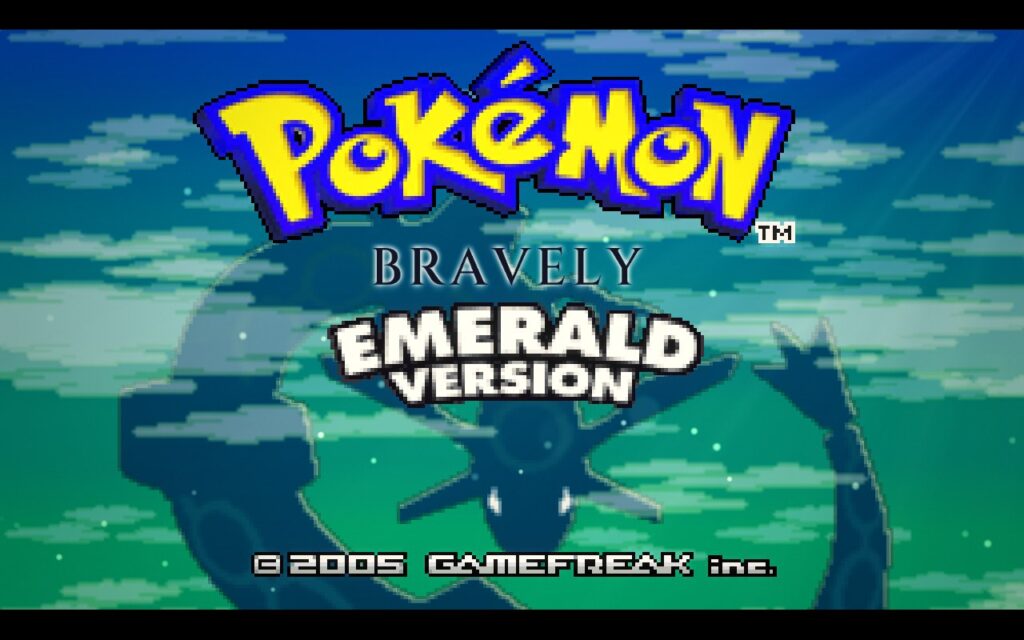
At a glance — Game: Bravely Emerald · Developer: Marcoscodas (fan project, from the Pokémon Emerald decompilation) · Platforms: PC (Windows), Steam Deck · Price: Free (own Pokémon Emerald cartridge dump required; no game assets included) · Status: Out now
Bravely Emerald is out. Marcoscodas has rebuilt Pokémon Emerald — the 2004 Game Boy Advance game — as a native PC program and given it an HD-2D presentation. Windows and Steam Deck. Free. DSO Gaming reported it on November 16, 2026; ScreenRant followed on November 21, 2026. Same Hoenn, same game, same saves. It just looks like a small lit diorama now instead of a flat grid of pixels.
Emulators have filtered and upscaled Emerald for years, so be clear on this part: Bravely Emerald is not that. It starts from the community decompilation of Pokémon Emerald, compiles the code into a native 32-bit program, and uses a small layer built on SDL2 and OpenGL in place of the Game Boy Advance hardware. The project page says it plainly. Not an emulator. The effects are not a shader pack sitting on top of a running ROM — they belong to a program built for PC.
Bravely Emerald Is Not an Emulator Filter
That route explains the ambition, and the limits too. Rebuilt code can do things the original hardware never tried. The game underneath, though, stays the game. Routes, battles, story, saves — all as they were on the handheld. No new story content is promised. No new areas. No rebalancing. Good. Emerald never needed fixing; it just gets looked at differently here.
It also explains the legal shape, so here it is up front. The repository holds no game data and no game assets. You build the game yourself, from a dump of your own Pokémon Emerald cartridge. The build is for your own use, and the developer asks players not to share finished builds, because they contain Nintendo’s data. No cartridge, no project. That is not small print. It is the basis the whole thing stands on.
Light That Follows the Clock
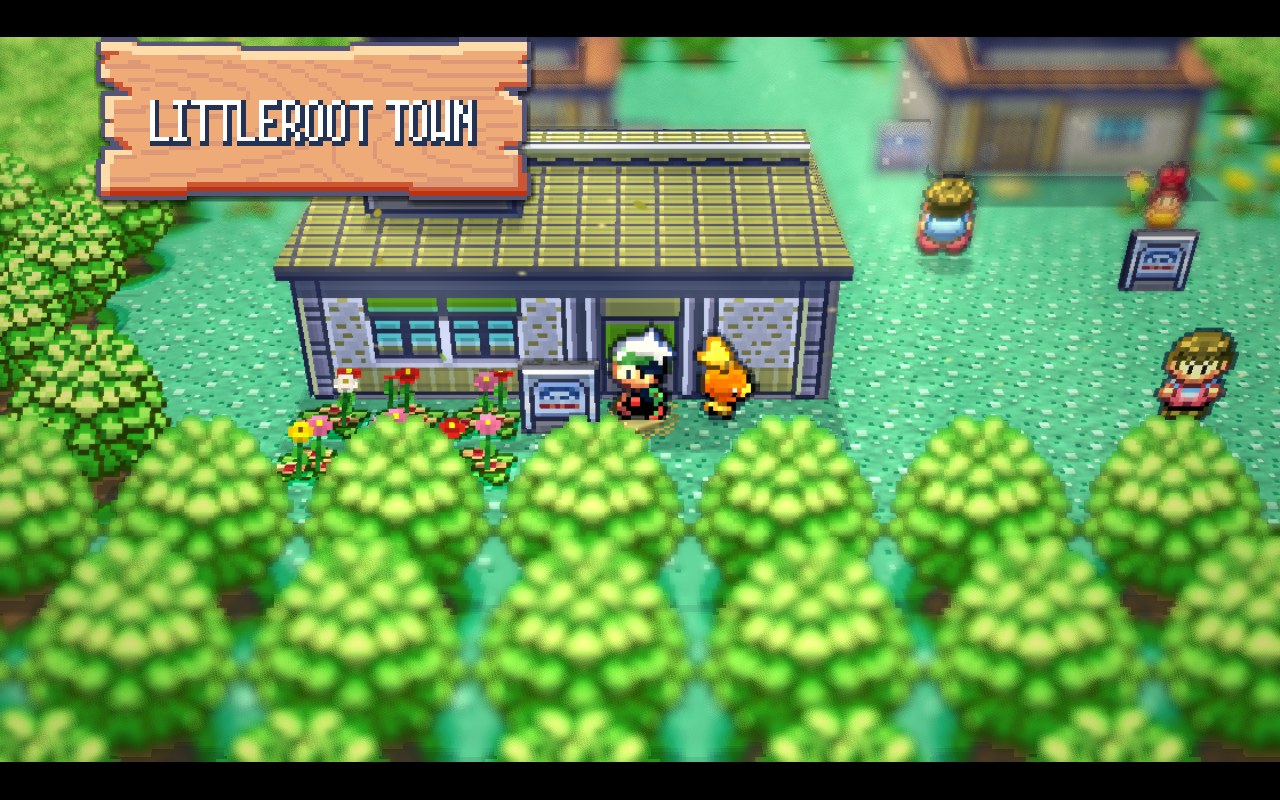
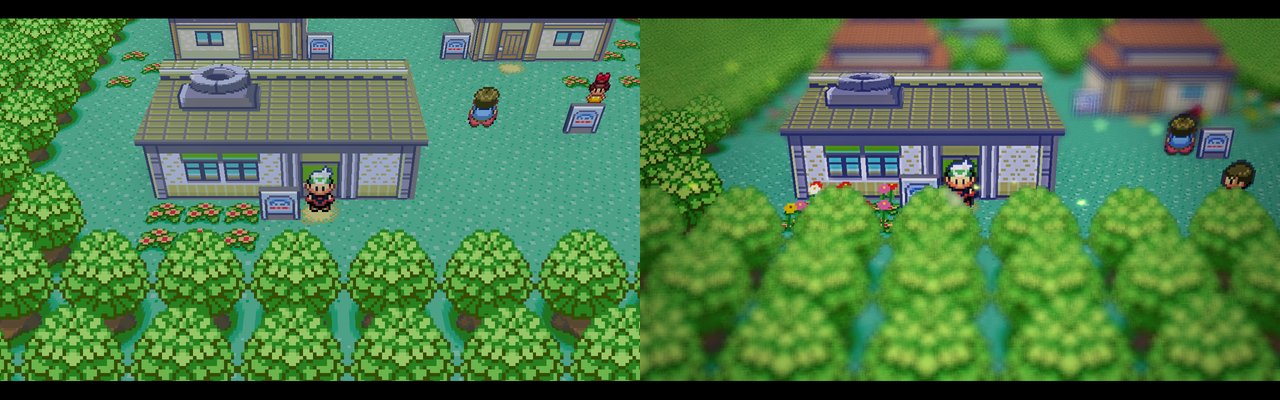
Start with the lighting, since everything else hangs off it. There is a real sun shadow map. Soft shadows sit under characters. Ambient occlusion, drifting cloud shadows, and sun and moon rays that follow the time of day. At night, windows light up. Depth blur follows the scene. Then bloom, colour grading and a vignette on top. Flat pixel art starts behaving like a physical set under a lamp. The project’s comparison shot says it best anyway: flat town on the left, same town on the right — with depth, shade, and soft focus creeping in at the edges.
The quieter trick sits underneath. Ground, walls and sprites get relief, so flat colour gains depth. Trees move. Grass moves. Tall grass bends when you walk through it. Flowers dot the routes; water catches glints of light. None of it changes a single step between Littleroot and the Elite Four. Set dressing, not redesign — which is why it works.
One honest note on the screenshots, since they are doing most of the persuading here. Still images flatter depth blur. They always do. A town frozen at its best angle, foreground soft, light falling just so, will look like a model railway diorama every time. The real test is movement — walking a route, crossing from sun into shade, watching the grass react under your feet. Nothing in the project description oversells that part, to its credit. The claims are specific, the settings are listed, and the comparison is shown side by side rather than described in adjectives. That is how a fan project should present itself.
Weather, same approach. Rain brings streaks, mist, splashes and wet ground. Pollen drifts. Fireflies show up, leaves fall. And the sound might be the most underrated part: an ambient soundscape matched to where you are standing — wind, rain, waves, crickets, birds, cave drips, thunder. The original had a fine soundtrack and almost no environmental sound. Hoenn was always wet, green and coastal. Now it sounds like it.
Battles, Menus and the Off Switch
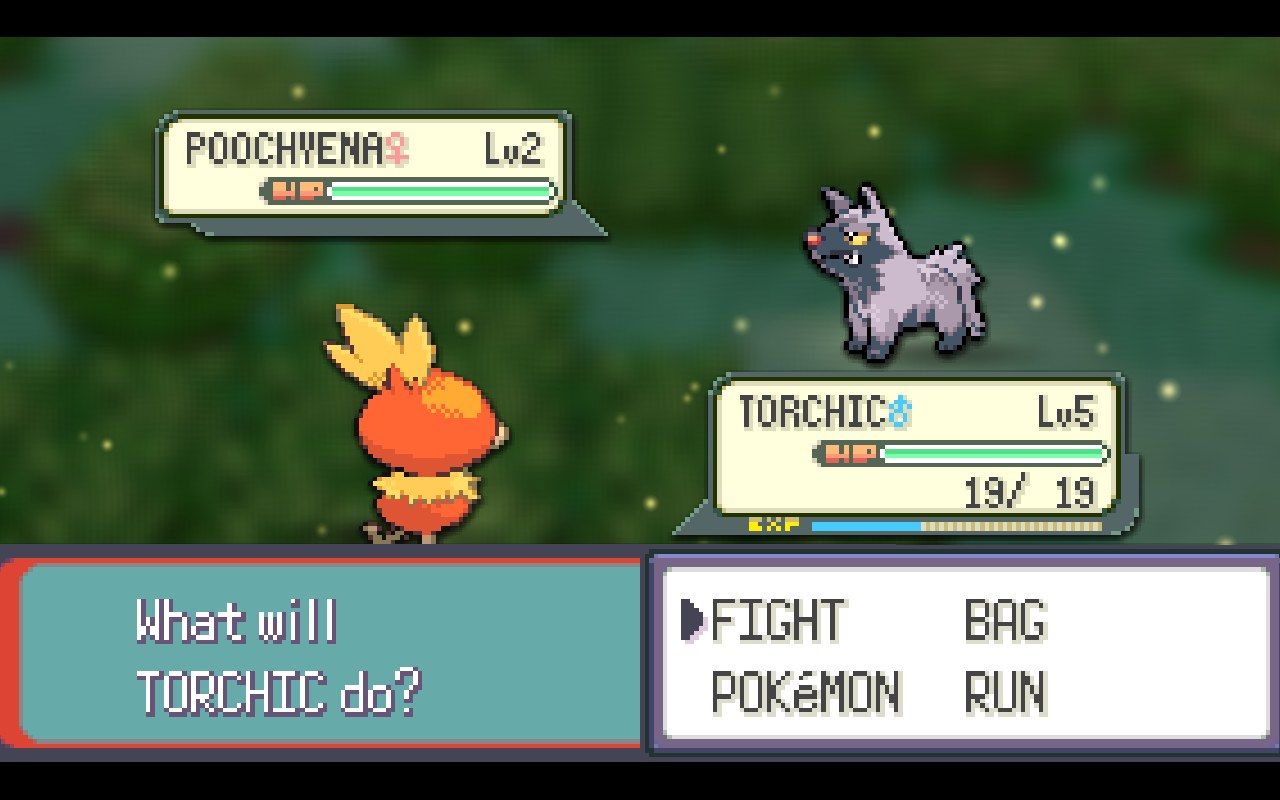
Battles keep their sprites and their structure. The backdrop changes: the place you are standing in, blurred and in 3D, with a coloured flash and glow when a move hits. Menus get glass panels and smoother bars and transitions. Button icons match the Steam Deck. There is a new title screen, plus an intro that reveals the HD-2D picture from the flat GBA one — a neat bit of showmanship for a fan project.
The options menu is what will win over the sceptics. Every effect has its own setting — off, low, medium and high. Frame rate: 30 or 60 FPS. Turn the lot off and the old picture comes back. A presentation layer you cannot remove is an argument waiting to happen. This one comes with sliders, so each player picks their own amount of diorama. Or none.
What You Need, and What It Costs You in Time
Price: zero. Setup: patience. The easy route is the builder, a small program styled like Windows 95 that carries the project files inside it. Point it at your own ROM file. Pick a folder. Allow the downloads, press Build. First build? It downloads the compiler tools, takes 30 to 60 minutes, and needs about 15 GB of disk space. Building by hand instead? Separate guides cover Windows and the Steam Deck.
The caveats are listed openly, which helps. It works on Windows and on the Steam Deck. The Linux builder has not been tested on real hardware yet. Some things have not been checked on every machine. Bug reports are welcome. That is the normal shape of a young fan project — anyone who follows decompilation ports knows it. Expect rough edges, not a retail release.
Some context. Emerald was Game Freak’s third pass at Hoenn, out for the Game Boy Advance in 2004 in Japan and in 2005 in the West, and it remains the version of that generation most players point to first. The full case for the original is in our Pokémon Emerald review in the archive. Bravely Emerald does not replace that game. It reframes it — tilted camera, better light, same Hoenn.
The Verdict From the News Desk
Build it? If you own the cartridge, run Windows or own a Steam Deck, and can spare an hour for the first build — yes, caveats attached. It is free, non-commercial, and unusually honest about what it is. No assets included. No sharing your build. Presentation changes; the game does not.
There is also something quietly sensible about where this leaves the original hardware. Nothing here asks you to retire a cartridge or pretend the handheld version was lacking. The GBA game stays exactly what it was, and this sits beside it as an alternative way in — one that suits a big screen and a handheld PC rather than a small backlit square on a train. Players who prefer the original picture can have it back in full, from inside the same program. That is a better answer than most presentation mods bother to give.
It does not settle the bigger question, of course: how long a project like this stays available. That risk is real. It is also why the own-dump model matters — what you build on your own machine, from your own cartridge, is yours in a way a download never is. For now, Hoenn has never looked like this. And with an off switch on every effect, you can test that claim one slider at a time.
— June
More from this system: our Game Boy Advance hub.